
CASE STUDY · CHURCHES & MINISTRY
Multi-camera church streaming, run from one iPad
A church wanted its online service to look and sound like the one in the room, without buying a video switcher or training a tech crew. Peace Builders built Steeple Cast: volunteers’ iPhones become the cameras, one iPad runs the whole service, and it goes live to YouTube in one tap.
iPad · iPhone · Web dashboard · YouTube Live
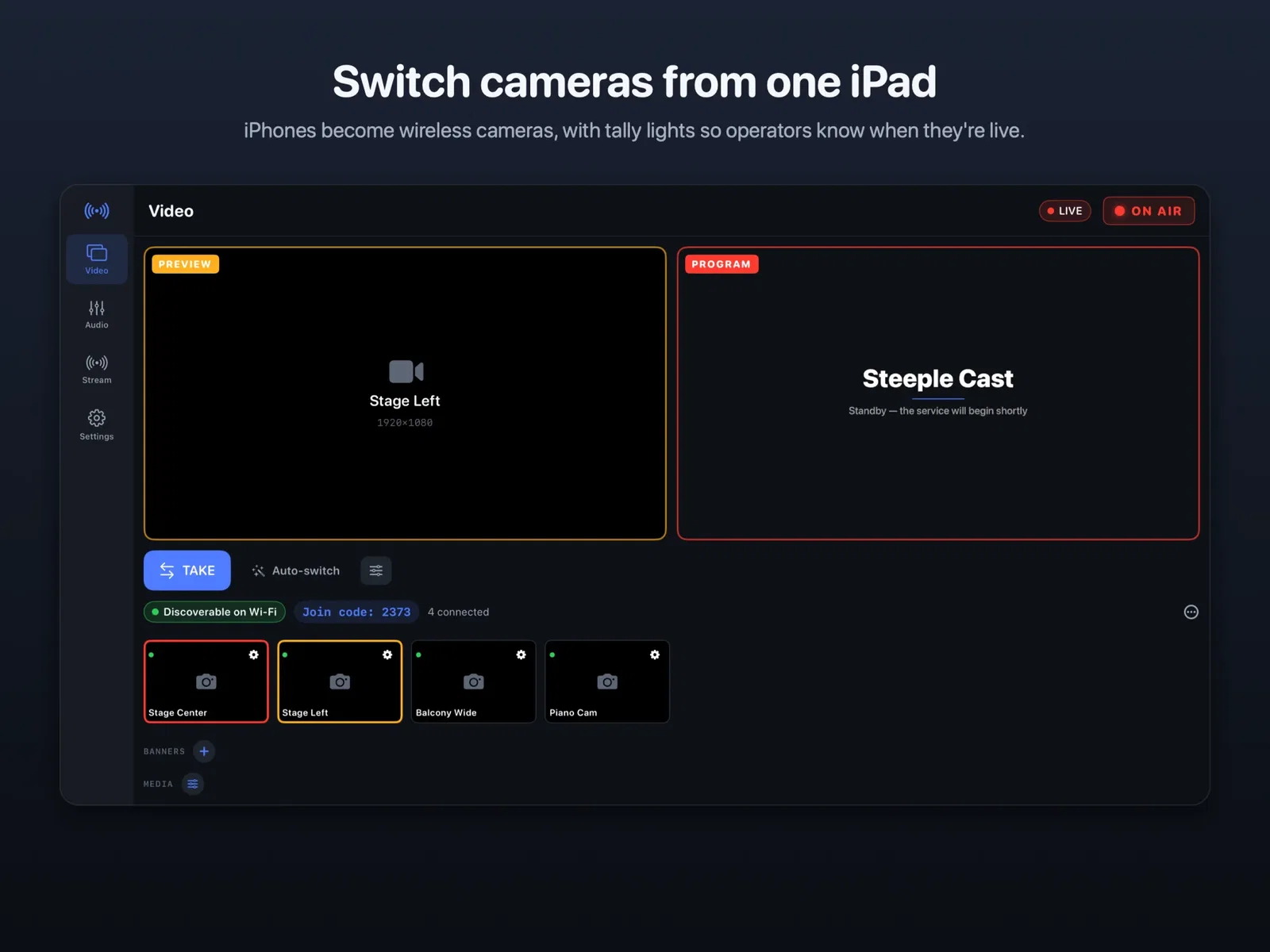
1 iPad
runs cameras, sound and the stream
32
desk channels mixed for listeners at home
1080p
streamed to YouTube Live
1 tap
to go live, with no stream keys to copy
At a glance
Who
A local church with a volunteer media team (name withheld)
Industry
Churches & ministry
Platforms
iPad (director), iPhone (cameras and remote mixer), web dashboard
Timeline
Built July–September 2026; first live test at the church on July 6, 2026
Engagement
A Peace Builders product, designed with one church before it was offered to others
Built with
Swift and SwiftUI, Apple VideoToolbox, HaishinKit, Firebase, the YouTube Live API
Last updated September 30, 2026
Why small churches struggle to stream well
Most small churches stream with one fixed camera and the sanctuary’s sound mix, because the alternative costs more money and more volunteers than they have. A hardware switcher, capture cards, a streaming computer and someone trained to run them add up quickly.
The sound is usually the bigger problem. The mix that works in the room is built for the room: loud instruments are turned down because they are already loud acoustically, and microphones are set for speakers, not headphones. Sent straight to YouTube, the same mix sounds thin and uneven to the people watching at home.
Then there is Sunday morning itself, when small mistakes become public: a stream key pasted in the wrong place, Wi-Fi that quietly can’t keep up, or a private service that goes out publicly by accident. This church needed something a volunteer could run with confidence, every week.
How we approached it
We started from what the church already had: a Behringer X32 sound desk, a few iPhones and an iPad. The plan had three steps.
- Turn phones into cameras. iPhones send video to the iPad over the church’s own Wi-Fi, with tally lights so each operator knows the moment they are live.
- Mix the stream separately from the room. The iPad takes the raw channels from the X32 and builds its own broadcast mix, with saved presets such as “Sermon” and “Worship.”
- Make going live boring. The church connects YouTube once on the web. After that, Go Live creates the week’s broadcast by itself.
We tested at the church early. The first end-to-end run, from iPhone camera to iPad to YouTube Live, happened on real devices on July 6, 2026. After that, each round of feedback from the Sunday team became a numbered list of fixes, from scroll-safe faders to a countdown that warns a camera operator before an automatic cut.
What the volunteer sees on Sunday
The director runs everything from an iPad in landscape: the camera switcher at the top of this page, plus the sound and stream panels below. These are real screens, shown with sample service data.
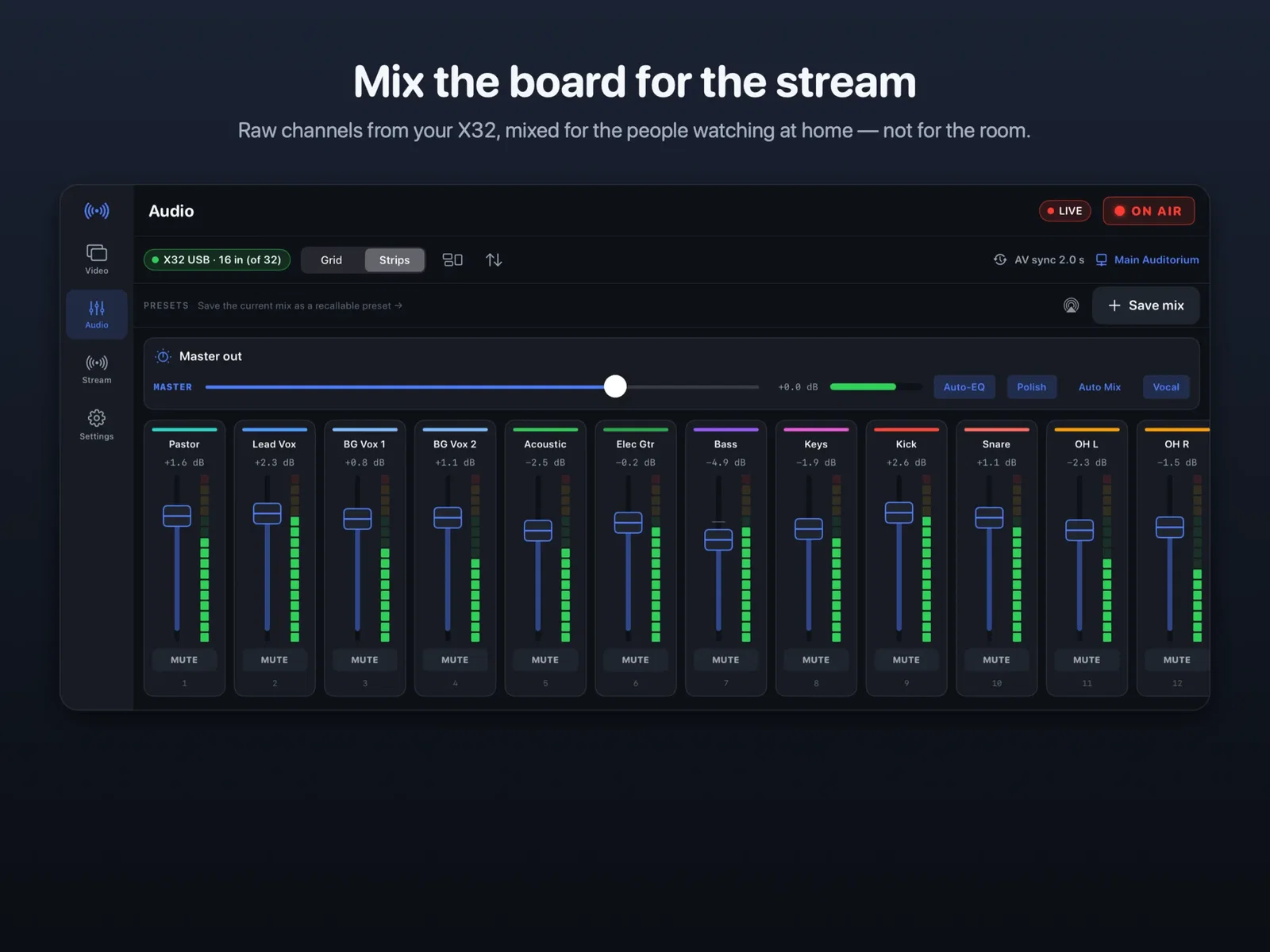
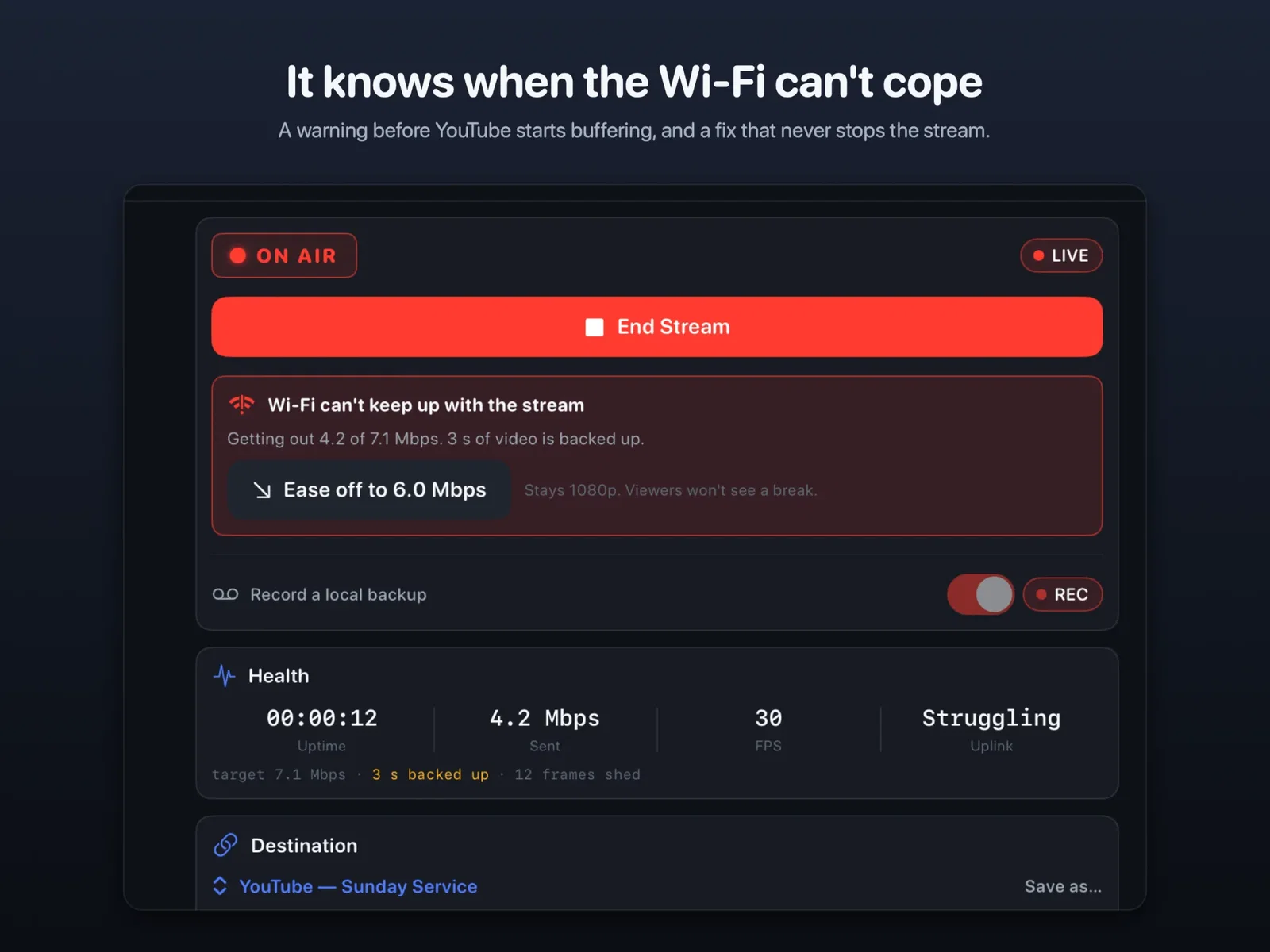
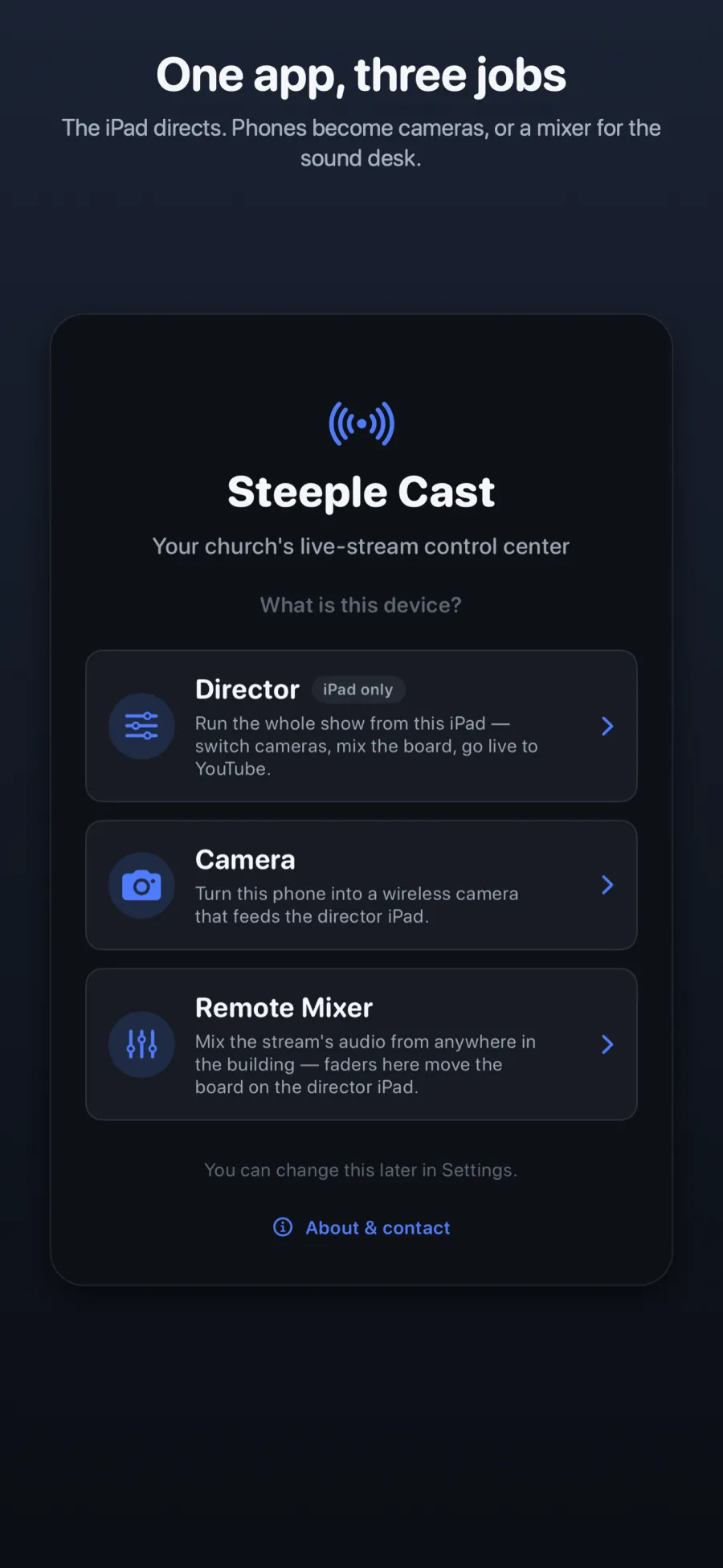
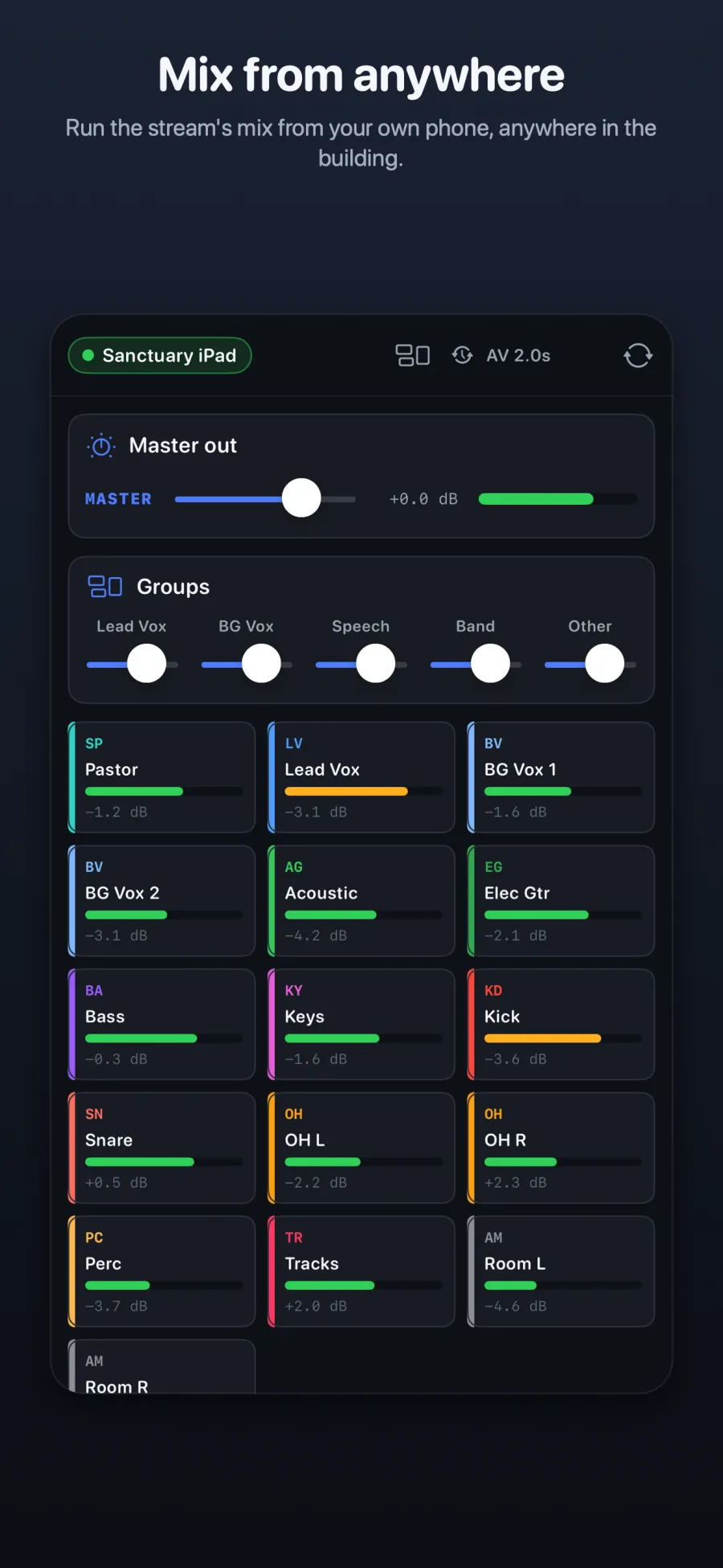
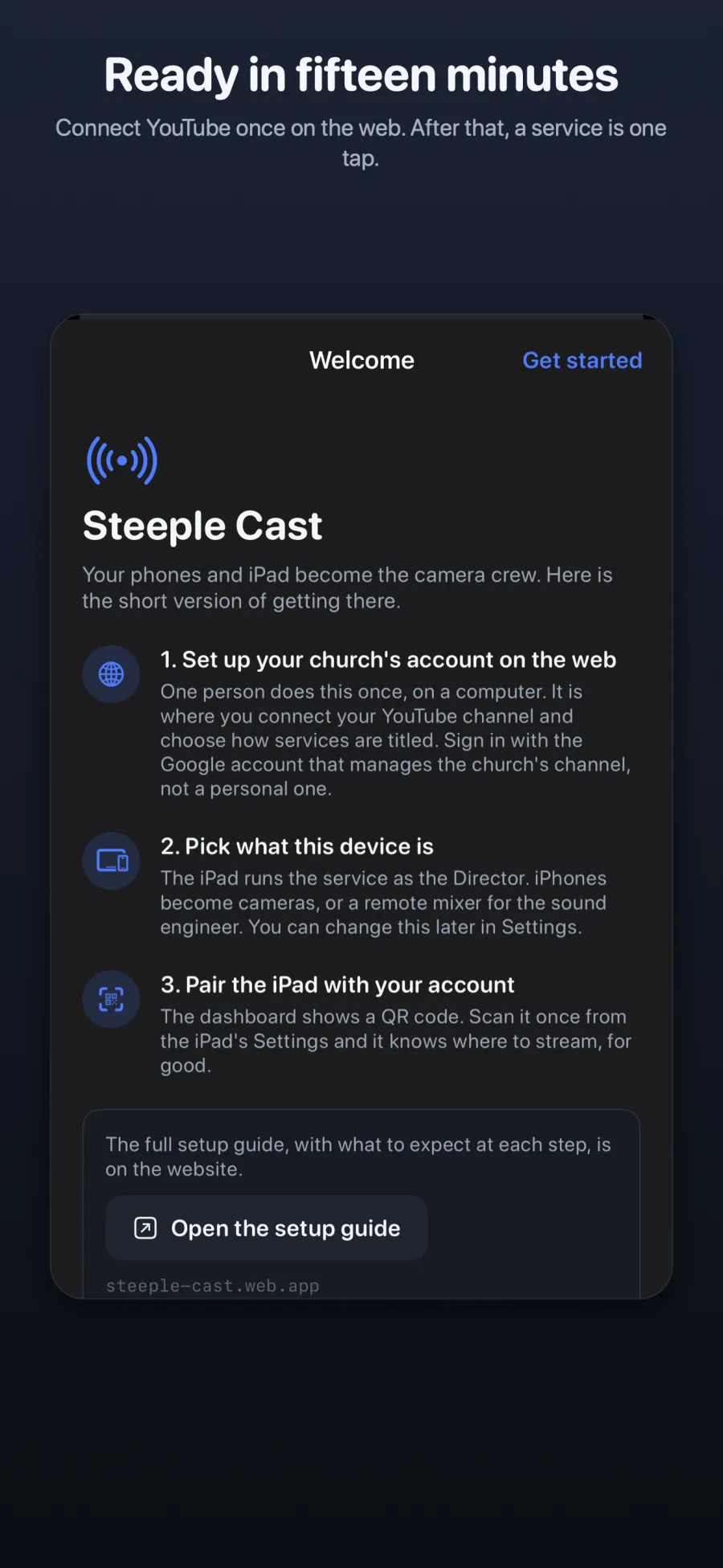
The same app runs on every device. An iPhone can be a camera or a remote mixer, so the sound engineer can adjust the stream’s mix from anywhere in the building. Setup takes three steps, and the web part happens only once.
How Steeple Cast works
Steeple Cast is one iPhone and iPad app that plays three roles on the church’s own Wi-Fi network, plus a small web dashboard for the YouTube connection. Video goes straight from the iPad to YouTube and never passes through Peace Builders’ servers.
Built with
- Swift and SwiftUI: the native app for iPad and iPhone (iOS and iPadOS 17 or later).
- Apple VideoToolbox: hardware video encoding on each phone and decoding on the iPad, so older iPhones keep up.
- Bonjour: cameras find the director automatically, and nobody types an IP address.
- Apple Accelerate: the 32-channel mix runs as vectorised signal processing, so audio doesn’t stutter.
- HaishinKit: the secure RTMPS publisher that sends the program feed to YouTube Live.
- Firebase and the YouTube Live API: the web dashboard where the church connects its channel once and pairs the iPad with a QR code.
There are no ads, analytics or tracking in the app.
What changed for the church
The church runs its stream from one iPad, with iPhones as the cameras and a sound mix built for the people listening at home, instead of a hardware switcher and a tech booth.
- No stream keys on Sunday morning. Go Live creates the week’s YouTube broadcast, titled from a pattern the church chose, with its privacy setting and thumbnail.
- Private stays private. If YouTube can’t create the broadcast, Steeple Cast stops and asks rather than streaming somewhere else.
- Problems are caught before viewers notice. A plain-language warning appears when the Wi-Fi can’t keep up. A dropped connection resumes the same YouTube video, and a local backup can be uploaded at full quality afterwards.
- The whole building can watch. The service can play on a lobby TV through AirPlay, seconds behind the room instead of a minute behind YouTube.
- One church’s tool became a product. Steeple Cast now has a public site, a setup guide and an App Store release on the way, so other churches can use it too.
Stream quality is perfect.
The church’s stream operator, after the first live test in July 2026
Need software built around how your people actually work?
Steeple Cast started with one church’s Sunday problem. If your organization has a job that’s held together by workarounds and a few dedicated people, we can build the tool that fixes it.
Your Software Department™ is our flat monthly subscription: unlimited software requests, daily progress updates, and most tools shipped in 3–7 days. See how Your Software Department works →
Questions churches ask about Steeple Cast
An iPad running iPadOS 17 or later as the director, one or more iPhones as cameras, a Wi-Fi network the church controls, and a YouTube channel enabled for live streaming. To mix individual channels from the sound desk, a Behringer X32 connects to the iPad through its USB card.
Yes. It can use the iPad’s own microphone, which stays blocked from the stream until someone chooses to let it through. The multichannel broadcast mix is designed for churches with a Behringer X32.
No. Video goes straight from the church’s iPad to YouTube. The app has no ads, analytics or tracking. The web dashboard holds the church’s YouTube connection and service settings.
Yes. The iPad can send the program feed to an Apple TV through AirPlay, a few seconds behind the room rather than a minute behind YouTube.
Yes. Peace Builders, an Indiana software studio, builds custom iPhone, iPad and web apps. Many clients work with us through Your Software Department™, a flat monthly subscription for ongoing software work.
Have a problem like this?
Tell us what your team is working around. We’ll tell you honestly whether software can fix it.