
CASE STUDY · OUR OWN STUDIO
One system for our whole studio, from proposal to client report
We were running Peace Builders across a time tracker, a spreadsheet of websites and domains, hand-built proposals and a lot of email. So we built our own hub: projects, hours, proposals, a client portal and infrastructure monitoring, all in one app.
Web app · Installable on phones · Client portal
1
system from signed proposal to client report
14
scheduled automations doing the routine checks
Hourly
uptime and SSL checks on every site we host
80k
lines of TypeScript, built alongside client work
At a glance
Who
Peace Builders, a small Indiana software studio (that’s us)
Users
Our team, plus our clients through the portal
Platforms
Web app that installs on phones and works offline; client portal
Timeline
First version April 2026; in daily use and still growing
Replaced
A separate time tracker, a spreadsheet of sites and domains, hand-built proposals, and status-update email
Built with
React, TypeScript, Firebase, Google Cloud, the Claude API
Last updated September 30, 2026
Why we built our own
A small studio runs on a handful of tools that don’t talk to each other. Ours were typical: hours in a time tracker, the websites and domains we look after in a spreadsheet, proposals put together by hand, and project status in email threads.
Every gap cost us something. The number a client signed didn’t connect to the hours we tracked. A domain renewal or an expiring SSL certificate was only caught if someone remembered to look. And clients who wanted to know where things stood had to ask.
We build this kind of software for clients every week, so we held ourselves to the same standard: one place where the work actually lives.
How we approached it
We built it the way we build for clients: one useful piece at a time, used for real from the first week, and replaced only when something better was ready.
- Start with the daily work. Boards, tasks and time tracking came first, because that’s what the team touches all day.
- Connect the money to the work. Proposals are written, sent and accepted in the hub, and an accepted proposal sets up its own project, board and tasks.
- Let the system do the watching. Scheduled automations check every site, domain and server, write the reports, and only raise what needs a person.
A look inside
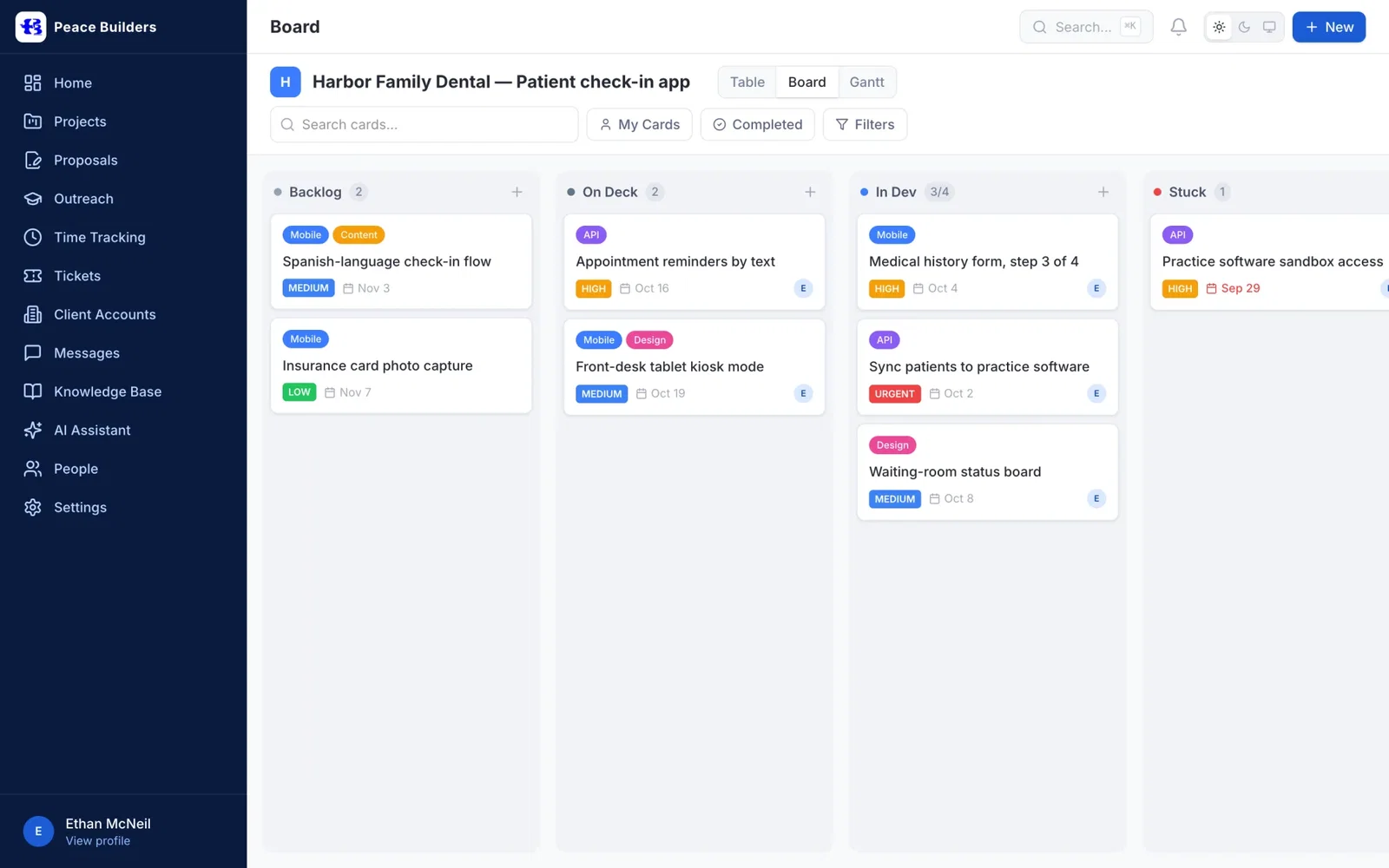
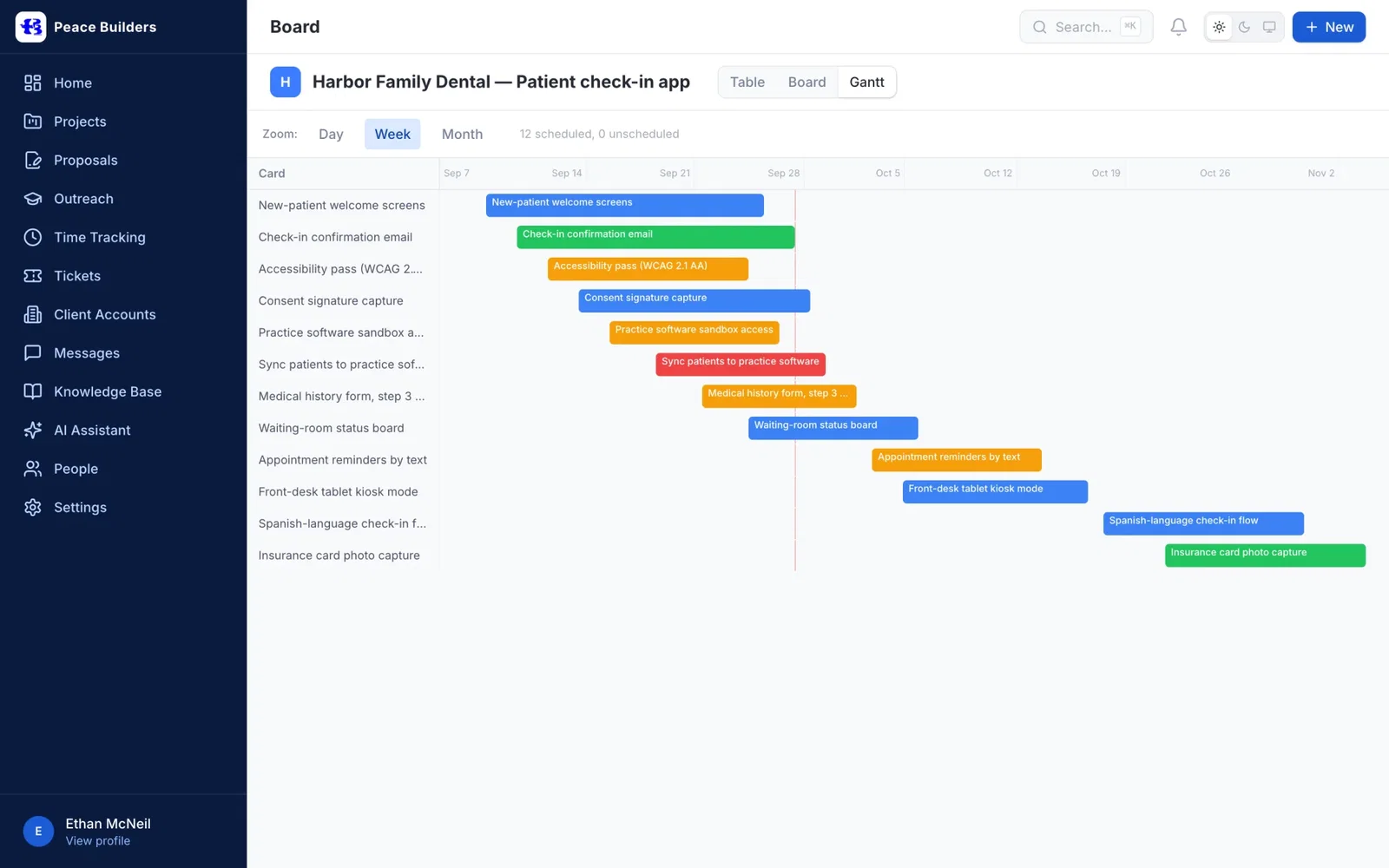
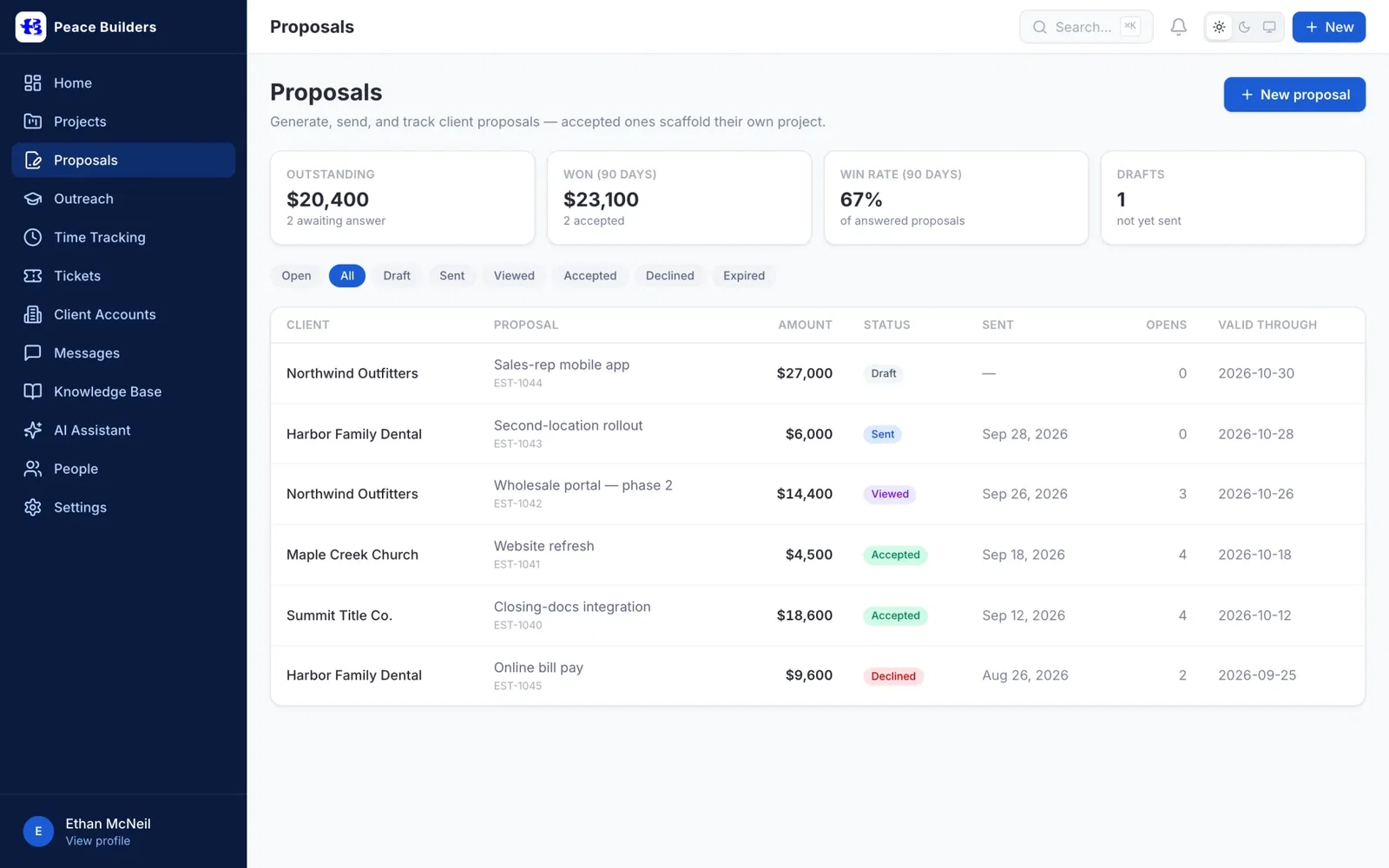
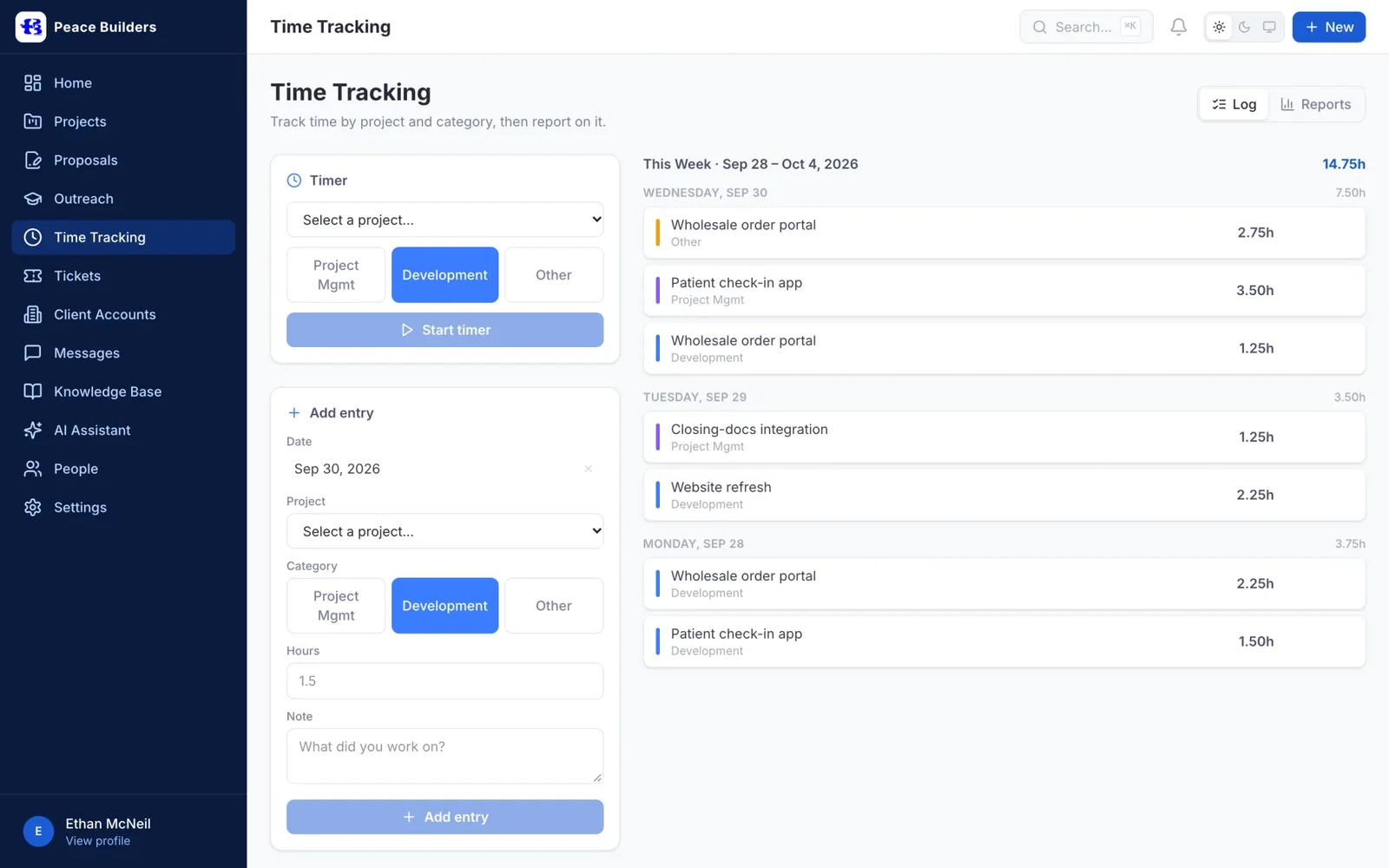
Real screens from the hub, filled with sample clients and projects.
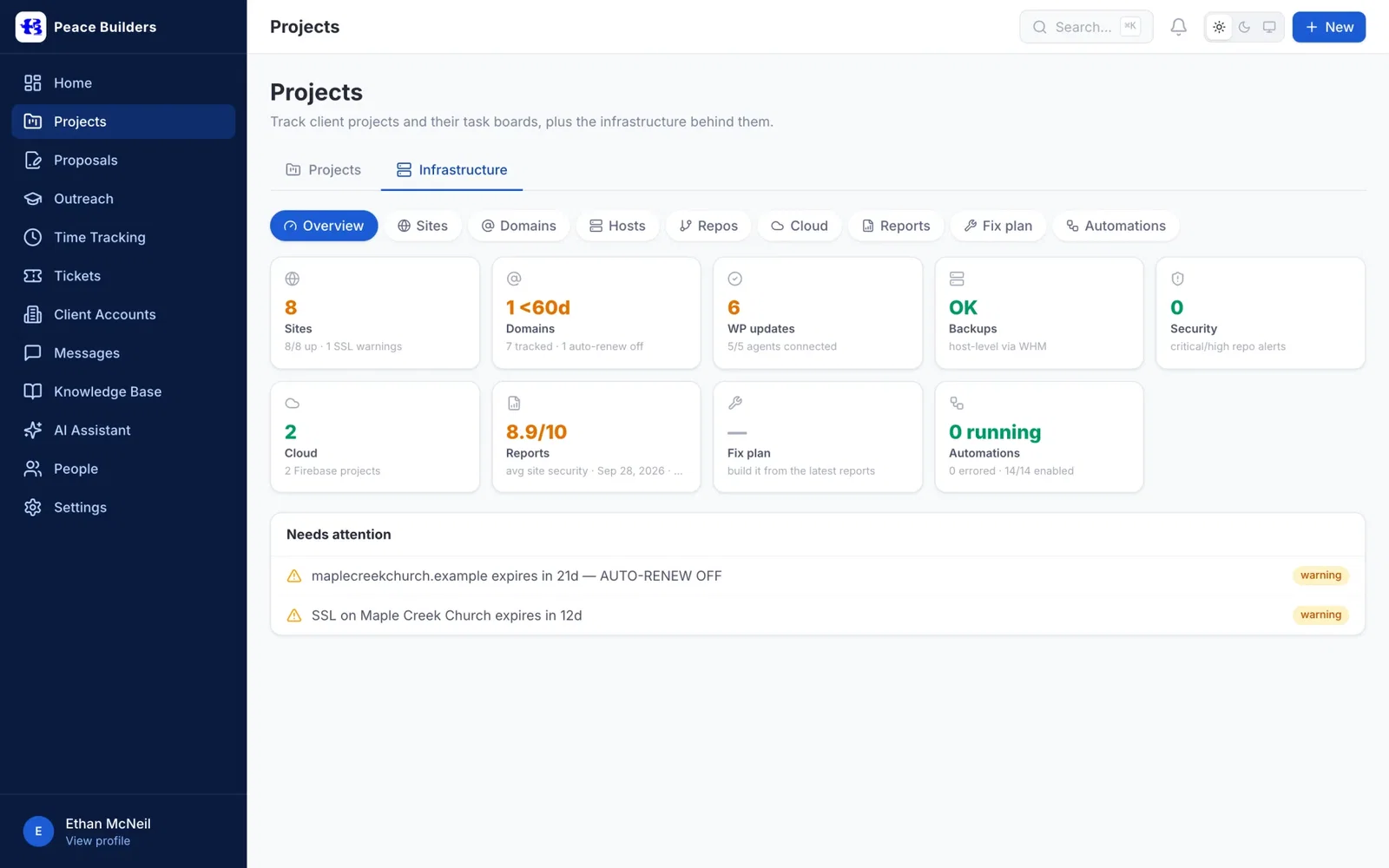
How the hub fits together
The hub follows a piece of work from the first proposal to the last client update, and watches the websites and servers underneath it.
What’s inside
- Projects and boards: table, kanban and Gantt views of the same tasks, with checklists, comments and sub-tasks.
- Time tracking: a timer and quick entry by project and category, with weekly, monthly and yearly reports and CSV export.
- Proposals: drafted with help from Claude when we ask for it, versioned, rendered to PDF, shared by link, and accepted online. Acceptance sets up the project.
- Client portal: each client sees their own projects, requests, issues, help articles and roadmap, with access set per person.
- Infrastructure monitoring: hourly uptime and SSL checks, domain expiry warnings, server backup checks, code security alerts, and weekly reports on security, accessibility and search visibility.
- Phone receptionist: an AI receptionist answers calls and files them as tickets in the hub.
- Messages, tickets and a knowledge base, so conversations and answers stay next to the work.
Built with
- React 19, TypeScript and Vite: the web app, installable on phones and usable offline.
- Firebase: sign-in, the Firestore database, file storage and hosting.
- Google Cloud Functions: the API, the automations and the scheduled checks.
- A Chromium PDF service: pixel-accurate proposal PDFs.
- The Claude API: drafting help for proposals and plain-English summaries in reports.
- Dialogflow CX: the phone receptionist.
What changed for us
The hub is where our work happens now, and where clients go to see where their work stands.
- The signed number and the tracked number live together. A proposal becomes a project, and hours are logged against that project.
- Nothing depends on remembering. Expiring domains and certificates, failed backups and security alerts come to us before they become a client’s problem.
- Clients see progress without asking. The portal shows what’s in progress, what’s next and what shipped.
- Fewer tools to switch between. Hours, proposals and monitoring all moved into the hub.
- It keeps getting better. Because we own it, a new idea becomes a new feature, not a new subscription.
Want a system like this for your business?
Most businesses don’t need to build everything we did. They need the one or two pieces that remove their daily friction: a proper board, a portal for their customers, or monitoring that tells them before something breaks.
Your Software Department™ is how we build those pieces for clients: a flat monthly subscription with unlimited software requests, daily progress updates, and most tools shipped in 3–7 days. See how Your Software Department works →
Questions about building an internal system
Usually not all of it. Off-the-shelf tools are fine until the gaps between them start costing time or money. Building makes sense for the parts that are specific to how you work, such as connecting proposals to projects or giving clients a portal.
It runs our studio: projects and boards, time tracking, proposals with online acceptance, a client portal, infrastructure monitoring for the websites we host, and an AI phone receptionist that files calls as tickets.
Yes. Each client has a portal showing their own projects, requests, issues, help articles and roadmap. Access is set per person, and clients only see what belongs to them.
React, TypeScript and Vite on the front end; Firebase and Google Cloud Functions behind it; a Chromium service for PDFs; the Claude API for drafting help; and Dialogflow CX for the phone receptionist.
Yes. Peace Builders, an Indiana software studio, builds internal tools, client portals and integrations. Many clients work with us through Your Software Department™, a flat monthly subscription for ongoing software work.
Is your business held together by spreadsheets?
Tell us which tools your team keeps switching between. We’ll tell you honestly which pieces are worth replacing.