
CASE STUDY · CHILDCARE
A front-desk video intercom that reaches the right teacher
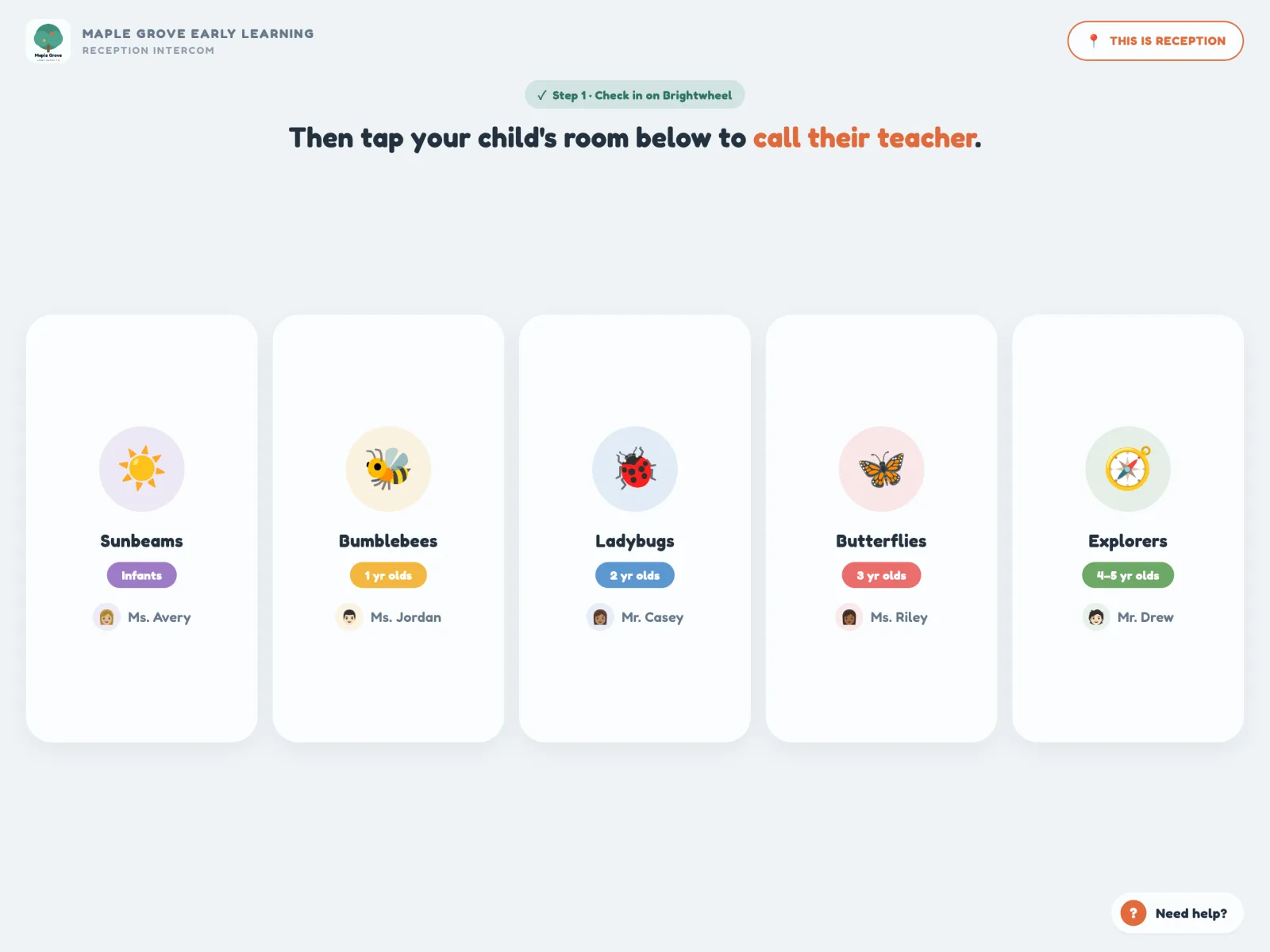
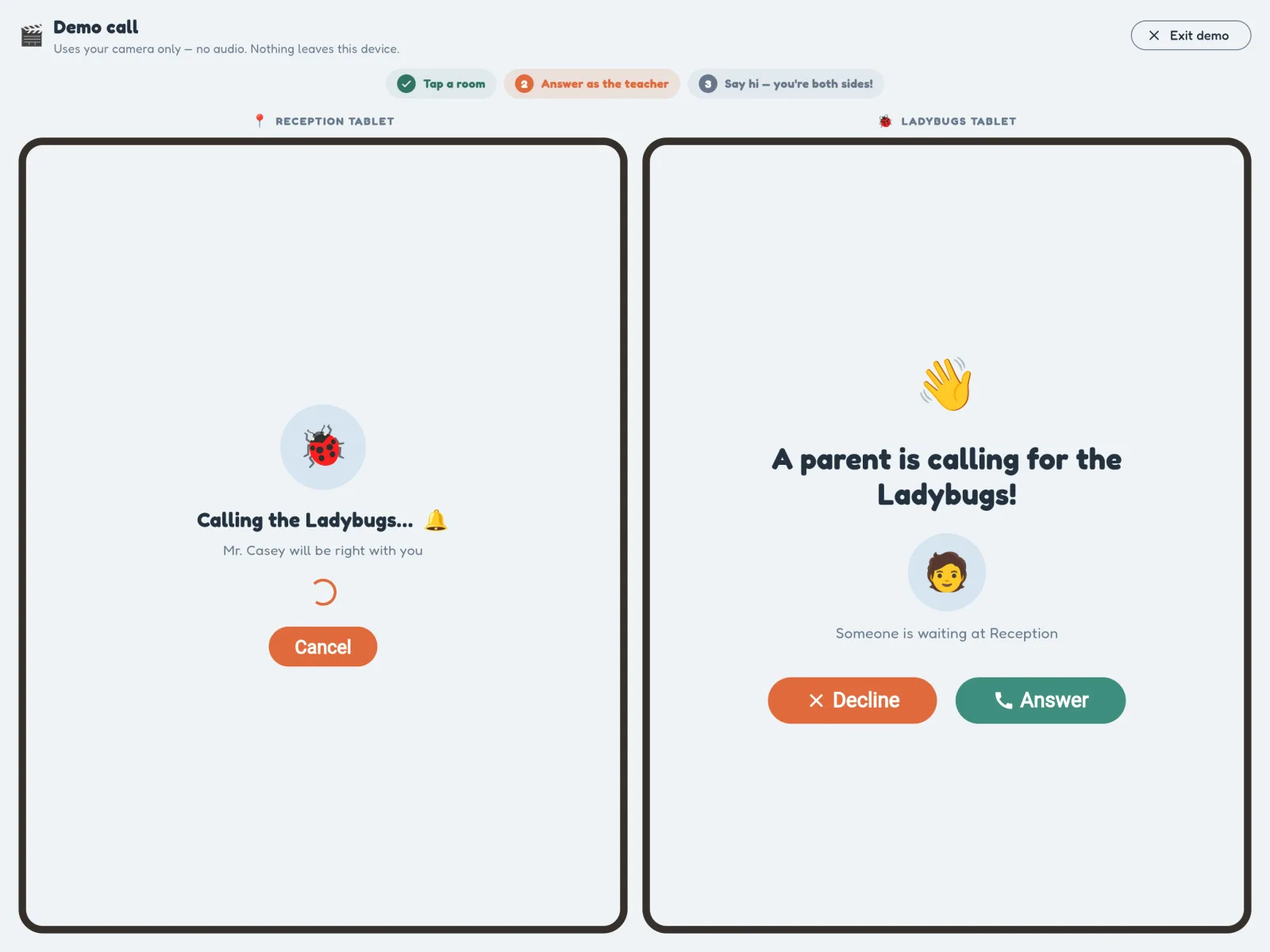
At drop-off and pickup, a daycare’s front door was a bottleneck: staff left classrooms to answer it and parents waited. Peace Builders built a tablet intercom. A parent taps their child’s classroom, only that room’s tablet rings, and the teacher sees and talks to the parent on video before coming to the door.
iPad and Android tablets · Admin dashboard
1 tap
from the front desk to the right classroom
6
tablets: one at reception, one in each of five rooms
2 rings
a live listener plus a push-notification backup
30 sec
ring window before a call shows as missed
At a glance
Who
A five-classroom daycare
Industry
Childcare and early learning
Platform
Tablet app for iPad and Android, plus a web admin dashboard
Timeline
Built July–September 2026 with hands-on testing rounds at the daycare
Engagement
Custom app, device setup and ongoing support
Built with
Flutter, WebRTC, Firebase (Firestore, Cloud Functions, Cloud Messaging, App Check)
Last updated October 1, 2026
Why the front door was a problem
Every drop-off and pickup started at a locked front door. Someone had to leave a classroom to see who was there, and parents waited while they did.
A general doorbell or a shared intercom would ring everywhere. The daycare wanted a parent to reach their own child’s teacher, and only that teacher, without pulling anyone else away from the kids.
It also had to be dead simple. Parents are juggling car seats and diaper bags, and some teachers aren’t tech people. No codes, no logins, big friendly buttons.
How we approached it
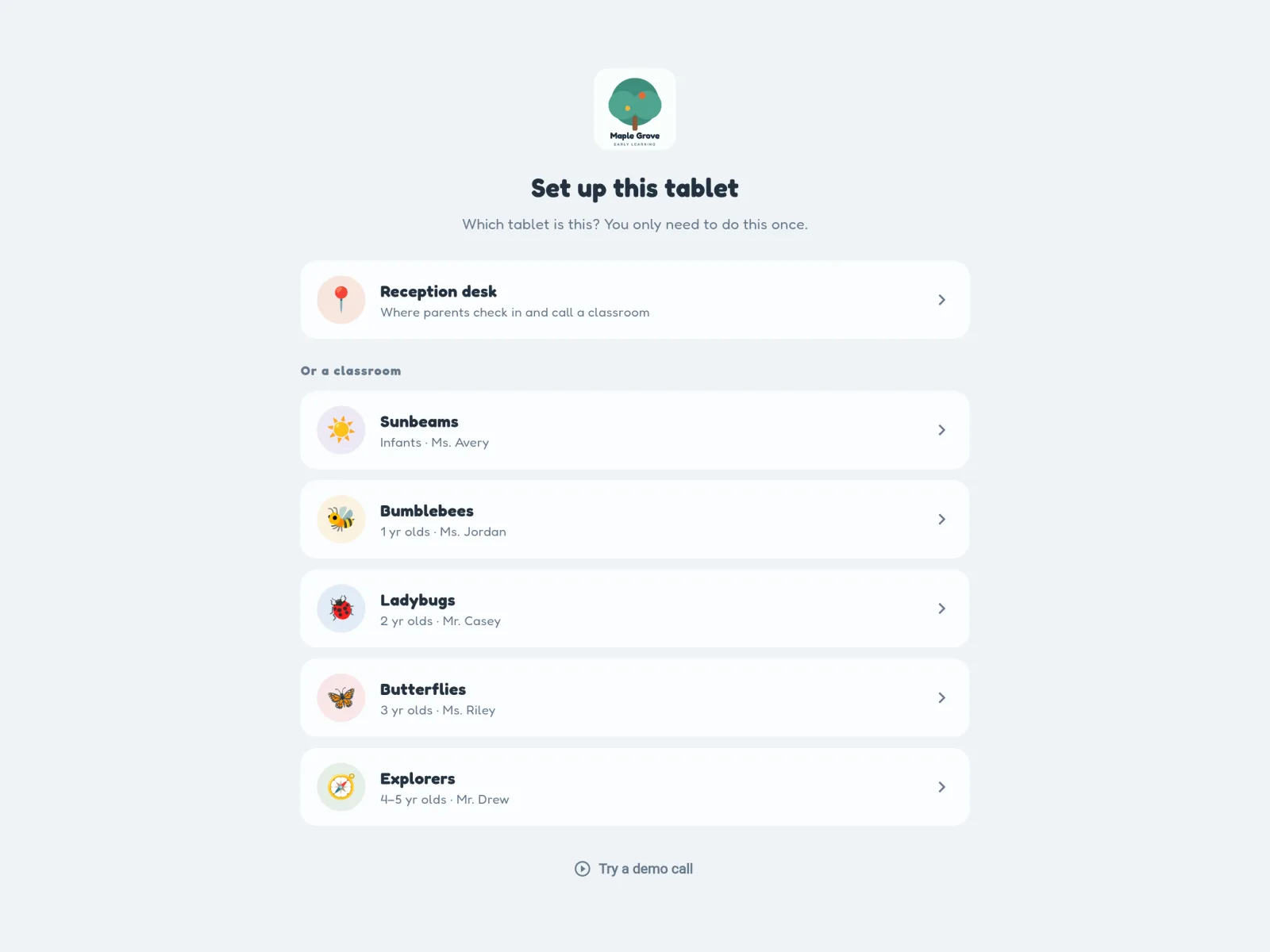
- Route, don’t broadcast. Each tablet is set up once as the reception desk or a specific classroom, so a call rings exactly one room.
- See before you open. The teacher answers on two-way video and recognizes the parent face to face before going to the door.
- Fit the daycare’s routine. The reception screen reminds parents to check in on Brightwheel first, then call the teacher.
We built it in short rounds and tested on the daycare’s real tablets, tuning the ring volume, the layout and the video quality each time.
Inside the intercom
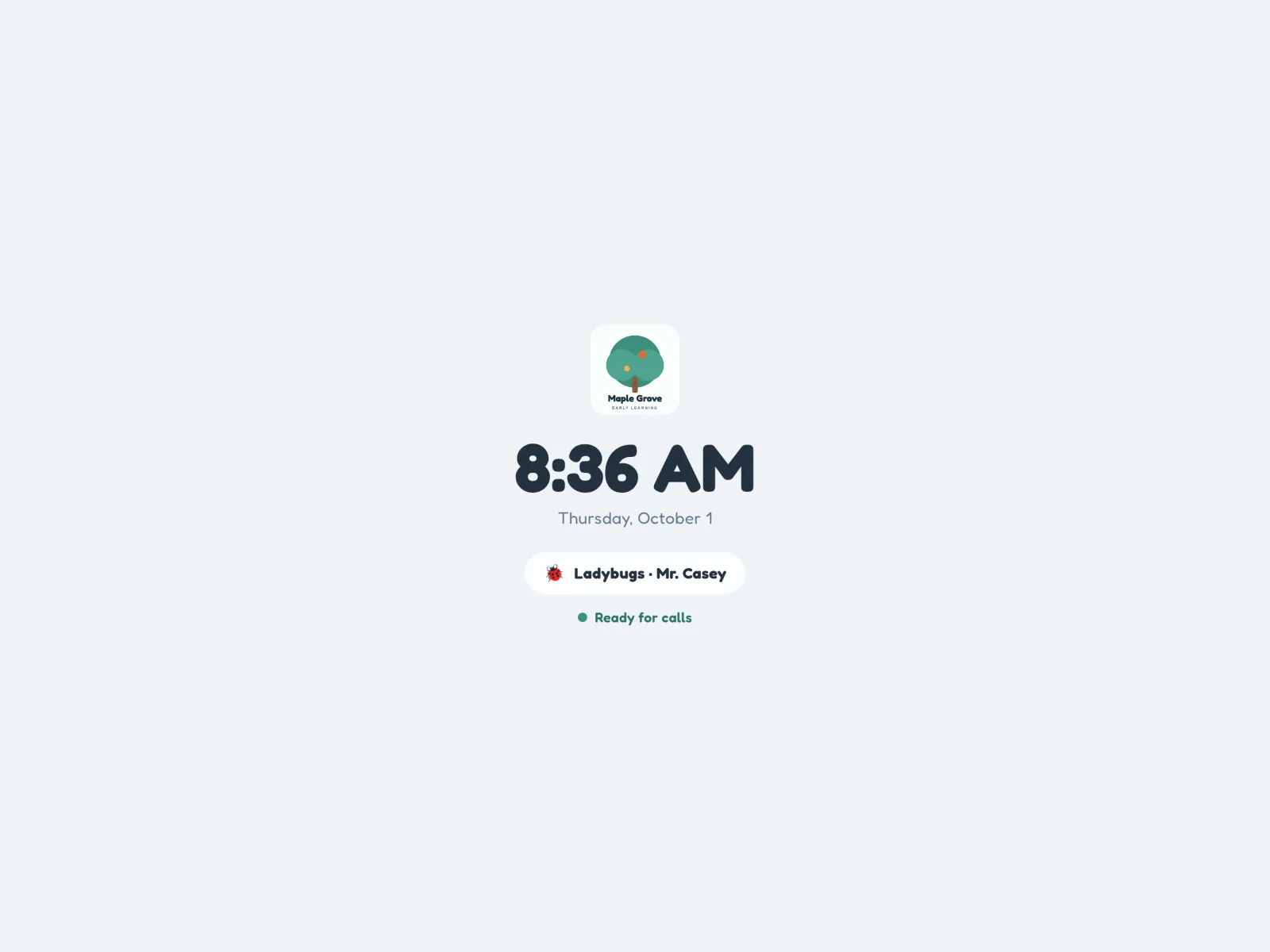
Real screens from the app, shown with a sample daycare, rooms and teachers.
How the intercom works
The tablets stay plugged in and on, each dedicated to its spot. A call is a small record in the cloud that only the target room is listening for.
What’s inside
- Directed calling: reception to any classroom, and classroom to classroom or back to reception.
- Two-way video built on WebRTC, with quality that adapts to weak Wi-Fi.
- A loud, reliable ring for the whole ring window, plus a push notification backup if a tablet’s app is in the background.
- Clear outcomes for parents: busy, missed and declined calls each show a friendly next step, like “please see the front desk.”
- Text the daycare can edit: every message and room name can be changed remotely, and the tablets update within seconds.
- An admin dashboard to add rooms, see and remove registered tablets, edit on-screen text, and hand out install links.
- Locked down: a staff PIN checked on the server, passwordless email-code sign-in for the dashboard, and App Check.
Built with
- Flutter: one app for iPad and Android tablets.
- WebRTC: the live video, with no per-minute video service.
- Firebase: Firestore for calls and settings, Cloud Functions for the backup ring, admin actions and cleanup, Cloud Messaging and App Check.
- Private distribution: an App Store Custom App for the iPads and a direct download for Android, both handed out from the dashboard.
What changed for the daycare
- Teachers stay with the kids. Only the right room is interrupted, and only for the parent who’s there for them.
- Every entry is face to face. Teachers see who’s at the door before they go to it.
- Parents know what to do. Check in, tap your child’s room, wait for the teacher. There’s a help button if they need it.
- The daycare runs it. Staff change rooms and wording and manage tablets from the dashboard, without waiting on an app update.
Automatic door unlocking isn’t part of this version. Teachers still let parents in themselves, which keeps a person in the loop.
Have a front-desk problem of your own?
Check-ins, call-boxes, kiosks and visitor flows are often a tablet and a little software away from running themselves.
Your Software Department™ builds tools like this on a flat monthly subscription: unlimited software requests, daily progress updates, and most requests shipped in 3–7 days. See how Your Software Department works →
Questions about video intercoms for daycares
A tablet at the front desk lists each classroom. A parent taps their child’s room, that classroom’s tablet rings, and the teacher answers on two-way video before coming to the door.
No. Each tablet is set up for one room, so only the classroom the parent taps rings. The others aren’t disturbed.
Not in this version. The teacher sees the parent on video and lets them in. Automatic unlocking could be added later.
Yes. It’s built with Flutter, so the same app runs on both, and it’s distributed privately to the daycare’s own tablets.
Yes. Peace Builders, an Indiana software studio, builds custom apps for check-ins, kiosks and front-desk workflows, and keeps them running.
Want a front door that runs itself?
Tell us how people check in today. We’ll tell you honestly what it would take.