
CASE STUDY · CHURCHES & MINISTRY
One console for a ministry’s app notifications, reports and support
A national Christian media ministry runs several mobile apps, and each one had its own tools for notifications and support. Peace Builders built a single console where staff write and schedule notifications, see who opened them, and answer support tickets for every app, without touching developer tools.
Web app · Google Cloud · Firebase
80–100K
devices the console is designed to serve
6.5 s
to personalize and send to 90,000 test devices
~$35/mo
projected running cost at full scale
0
SDKs added to each connected app
At a glance
Who
A national Christian media ministry and its communications and support staff
Apps connected
A Spanish-language radio app (live) and a daily devotional app (onboarding)
Platform
Web console with an API on Google Cloud Run
Timeline
Started August 11, 2026; first deployed August 14; real deliveries since August 31
Engagement
Custom build, running in the ministry’s own Google Cloud
Built with
React 19, TypeScript, Express on Cloud Run, Firestore, Firebase Cloud Messaging, BigQuery
Last updated September 30, 2026
Why the ministry wanted one console
The ministry’s apps each had their own way of sending notifications and handling support. Sending a daily verse, checking whether anyone opened it, or answering a listener’s question meant switching between tools, and some of it meant logging into developer consoles that were never built for communications staff.
Notifications also ran through a third-party service, with reader data living outside the ministry’s own infrastructure. For an app with tens of thousands of devices receiving notifications twice a day, both the cost and the control mattered.
The ministry wanted one safe place for staff to do this work, for every app, with the data staying in its own Google Cloud.
How we approached it
- Design for the people using it. Communications staff write and schedule; support staff answer tickets; developers stay out of the loop unless something needs them.
- Connect apps without changing how they’re built. The console reaches each app’s own Firebase project through Google Cloud permissions. Apps don’t add an SDK or hold console credentials; they write a few documents and receive notifications.
- Prove it at scale before launch. The delivery engine was stress-tested at 90,000 devices, and priced, before the largest app moves over.
The ministry’s daily devotional app is one of the apps it serves. Read how we keep that app improving →
What staff see
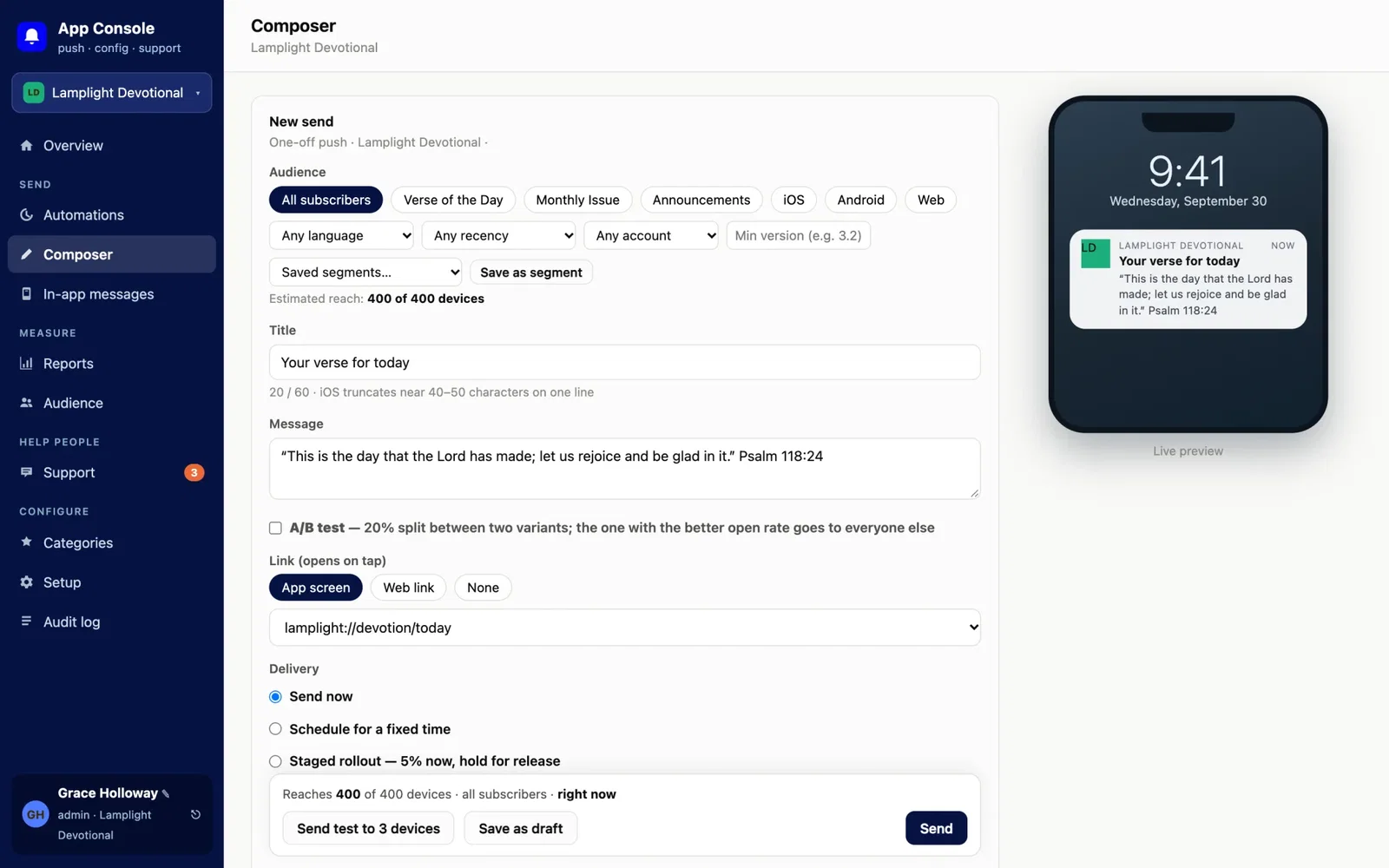
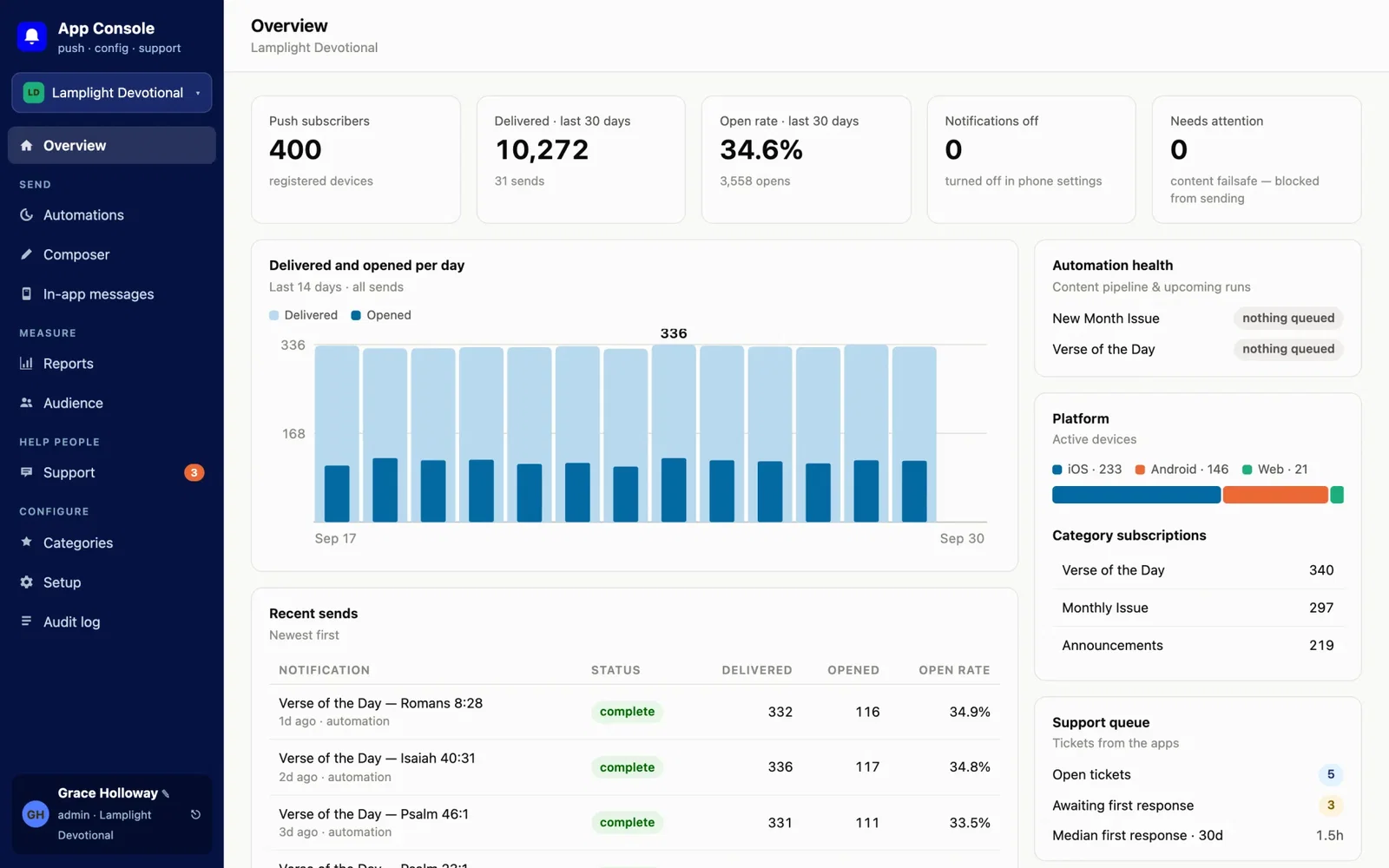
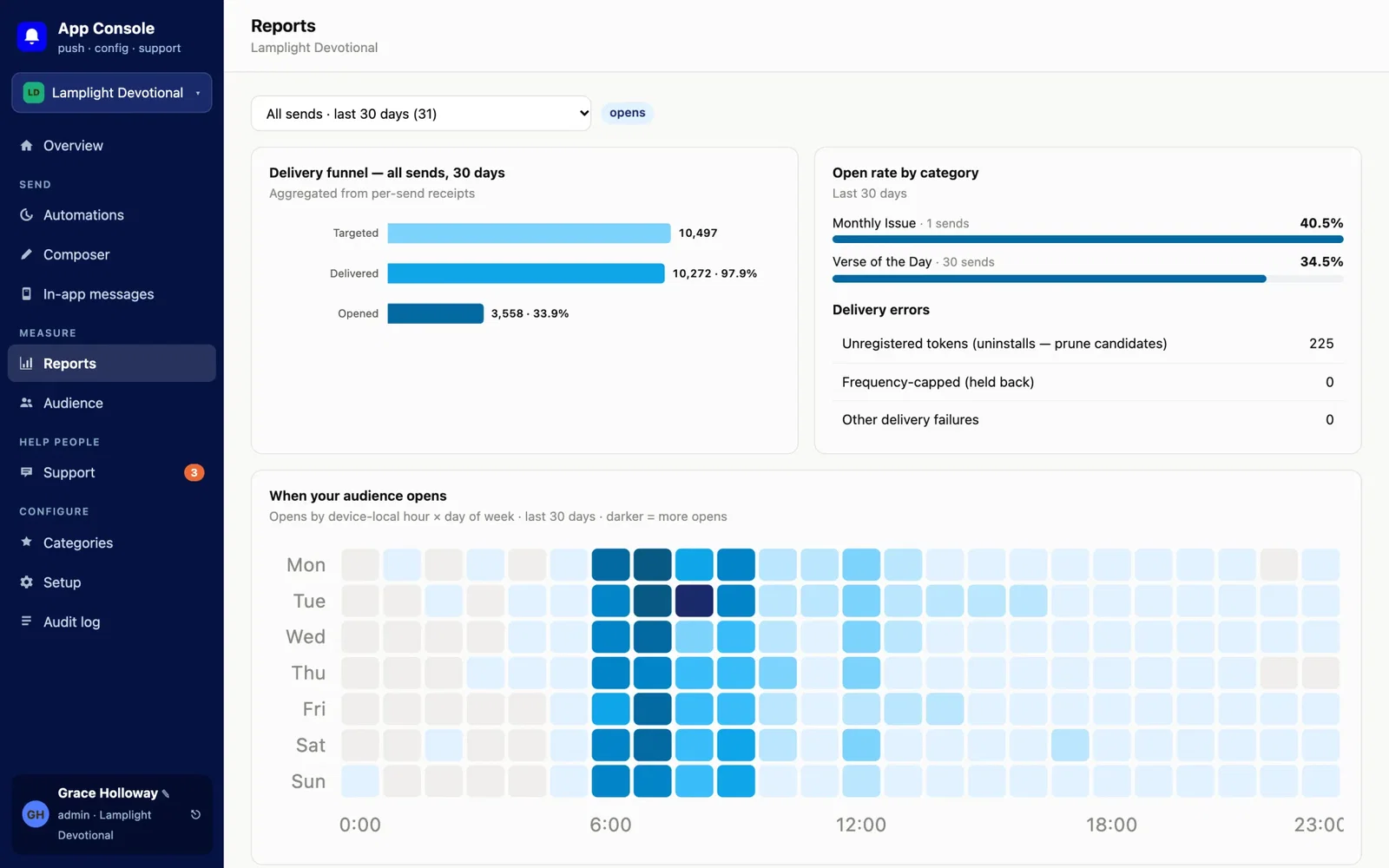
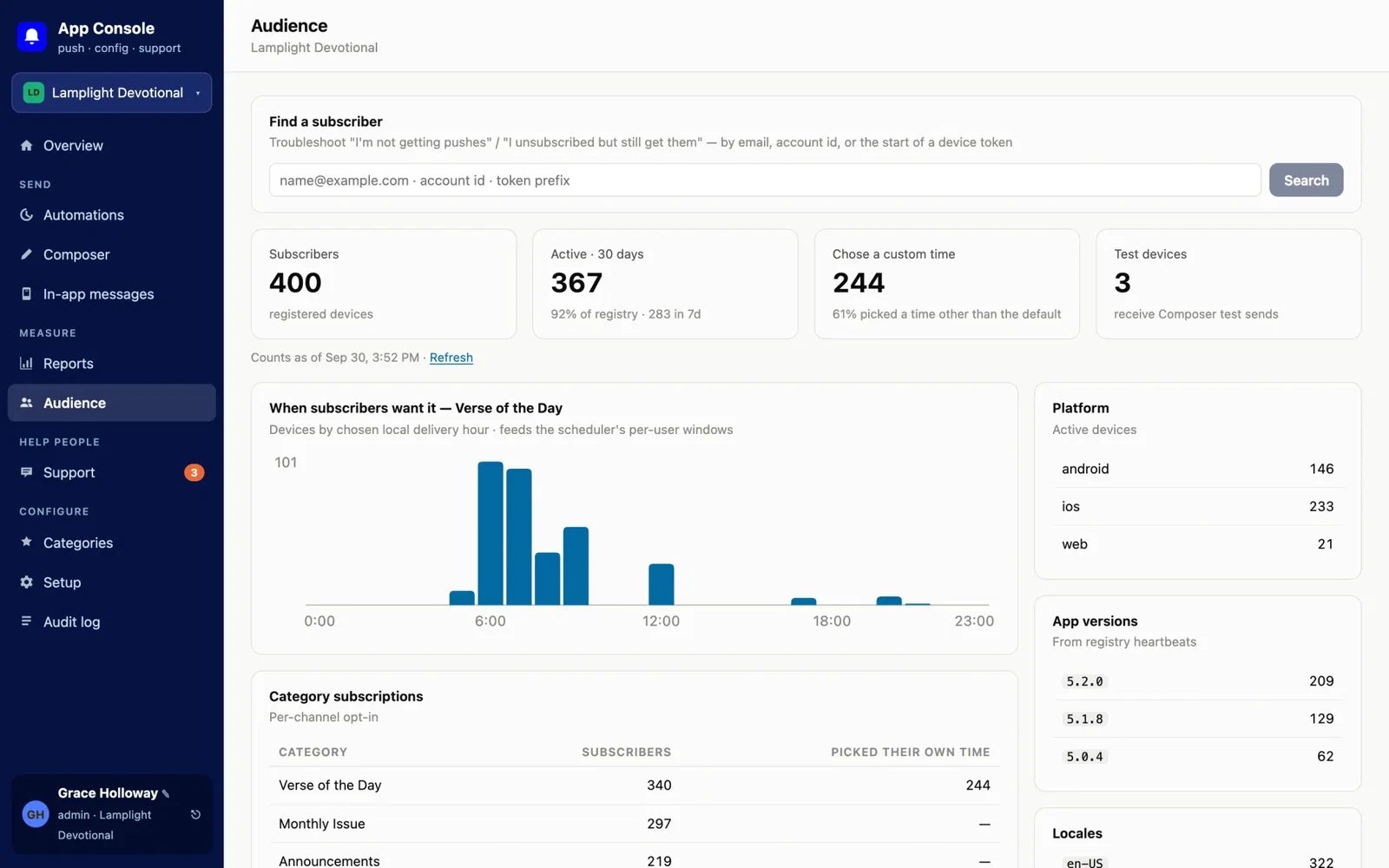
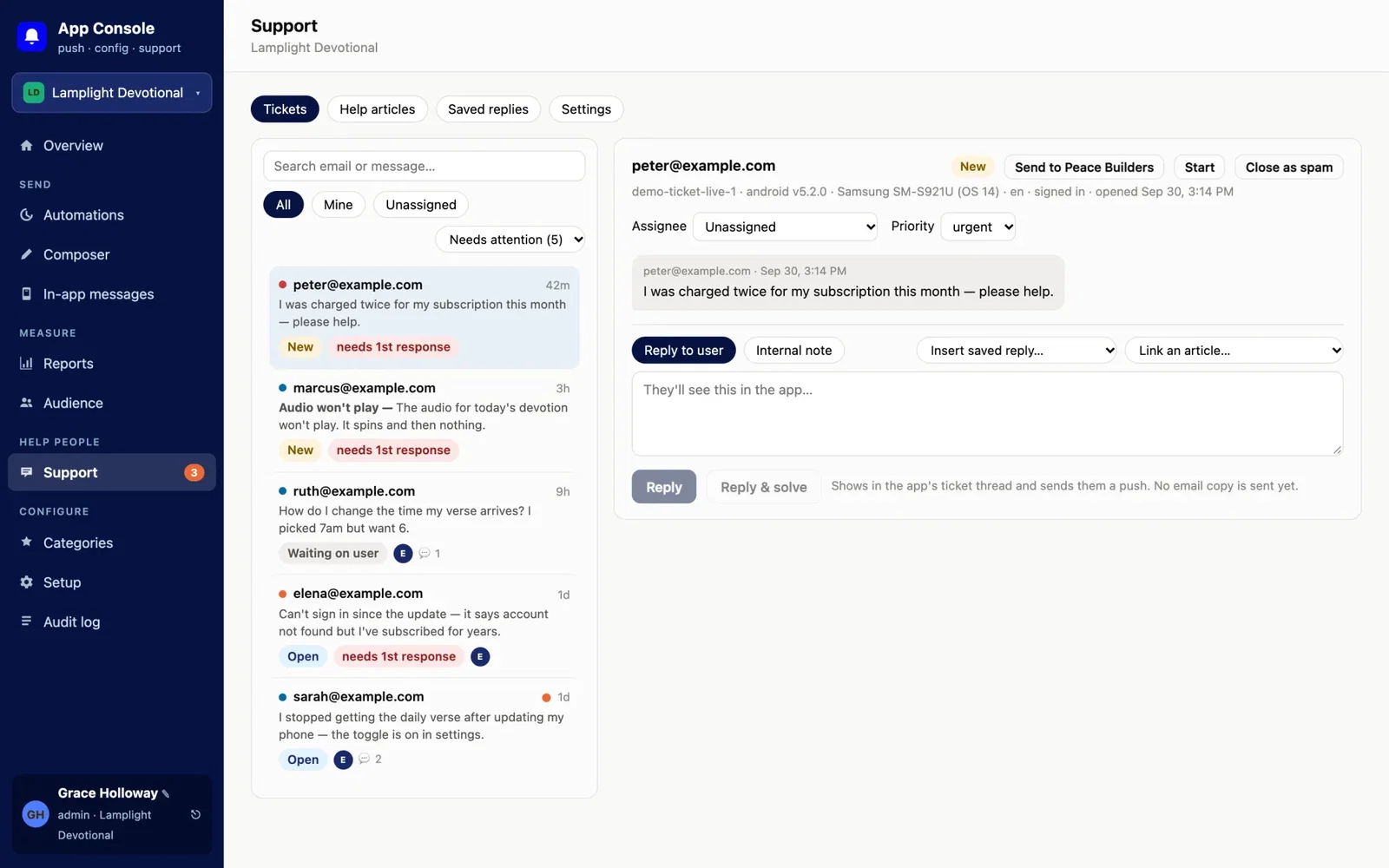
Real screens from the console, shown with sample data for a fictional app.
How the console works
The console is a web app with an API on Google Cloud Run. A scheduler runs every 15 minutes to draft, review and deliver notifications. Each connected app keeps its own Firebase project; the console reaches it through Google Cloud permissions, with no shared keys.
What’s inside
- Composer: send now, at a set time, as a staged rollout, or in each user’s local time; A/B tests, saved audiences, drafts and a live phone preview.
- Automations: recurring notifications drafted about two weeks ahead, with a review queue and content checks that hold a bad send before it goes out.
- In-app messages and app tours written by staff, with no app release needed.
- Reports and audience: delivery funnels, open rates from Google Analytics and BigQuery, subscriber lookup and win-back tools.
- Support center: tickets and live chat from inside the apps, help articles with version history, saved replies, and escalation to the developer.
- Safety: an audit log, per-app roles, invitation-only sign-in with Microsoft single sign-on, and a guided flow for connecting a new app.
Built with
- React 19, TypeScript and Vite: the staff console.
- Express on Google Cloud Run: the API and delivery engine, with Cloud Scheduler and Secret Manager.
- Firestore and Firebase Cloud Messaging: device registries and delivery, inside each app’s own project.
- Google Analytics 4 and BigQuery: open-rate reporting.
- Vitest: about 166 automated tests.
What changed for the ministry
The console was first deployed on August 14, 2026, and began real deliveries on August 31 with the ministry’s Spanish-language radio app. The devotional app is being connected next.
- One place for staff. Notifications, reports and support for every app live in a single console built for communications and support teams.
- Data stays home. Devices, messages and tickets live in the ministry’s own Google Cloud, not with an outside vendor.
- Ready for the big app. Stress tests at 90,000 devices delivered a full personalized send in 6.5 seconds and a local-time batch of 48,000 in 21 seconds.
- Predictable cost. At about 86,000 devices and two notifications a day, the projected cost is roughly $30–40 a month, compared with $150–300 for a simpler design.
- Built quickly. From first commit to real deliveries in three weeks.
Does your team juggle too many tools?
If your staff log into several services to do one job, a single console built around their work can save hours every week and keep your data in your hands.
Your Software Department™ builds tools like this on a flat monthly subscription: unlimited software requests, daily progress updates, and most requests shipped in 3–7 days. See how Your Software Department works →
Questions about a custom notification console
Yes. This console serves multiple apps, each in its own Firebase project. Staff pick the app, and the console reaches it through Google Cloud permissions without shared keys.
No. Each app writes a few documents in its own Firebase project and receives notifications through Firebase Cloud Messaging. There is no console SDK and no console credential inside the app.
Yes. The composer can send immediately, at a fixed time, as a staged rollout, or in each user’s local time, and automations can be drafted weeks ahead for review.
For about 86,000 devices receiving two notifications a day, the projected cost is roughly $30–40 a month on Google Cloud.
Yes. Peace Builders, an Indiana software studio, builds internal tools, admin consoles and integrations. Many clients work with us through Your Software Department™, a flat monthly subscription for ongoing software work.
Want one place to run your apps?
Tell us which tools your team switches between. We’ll tell you honestly what a single console would take.