
CASE STUDY · FIELD SERVICES
GPS-verified time tracking for a small field crew
A business owner with a four-to-five person crew wanted to trust the hours on every timesheet without standing over anyone. Peace Builders built a phone app where the crew clocks time against a job site, the phone checks where they are, and anything logged away from the site is flagged for the owner, never silently blocked.
iPhone · Android · Phones and tablets
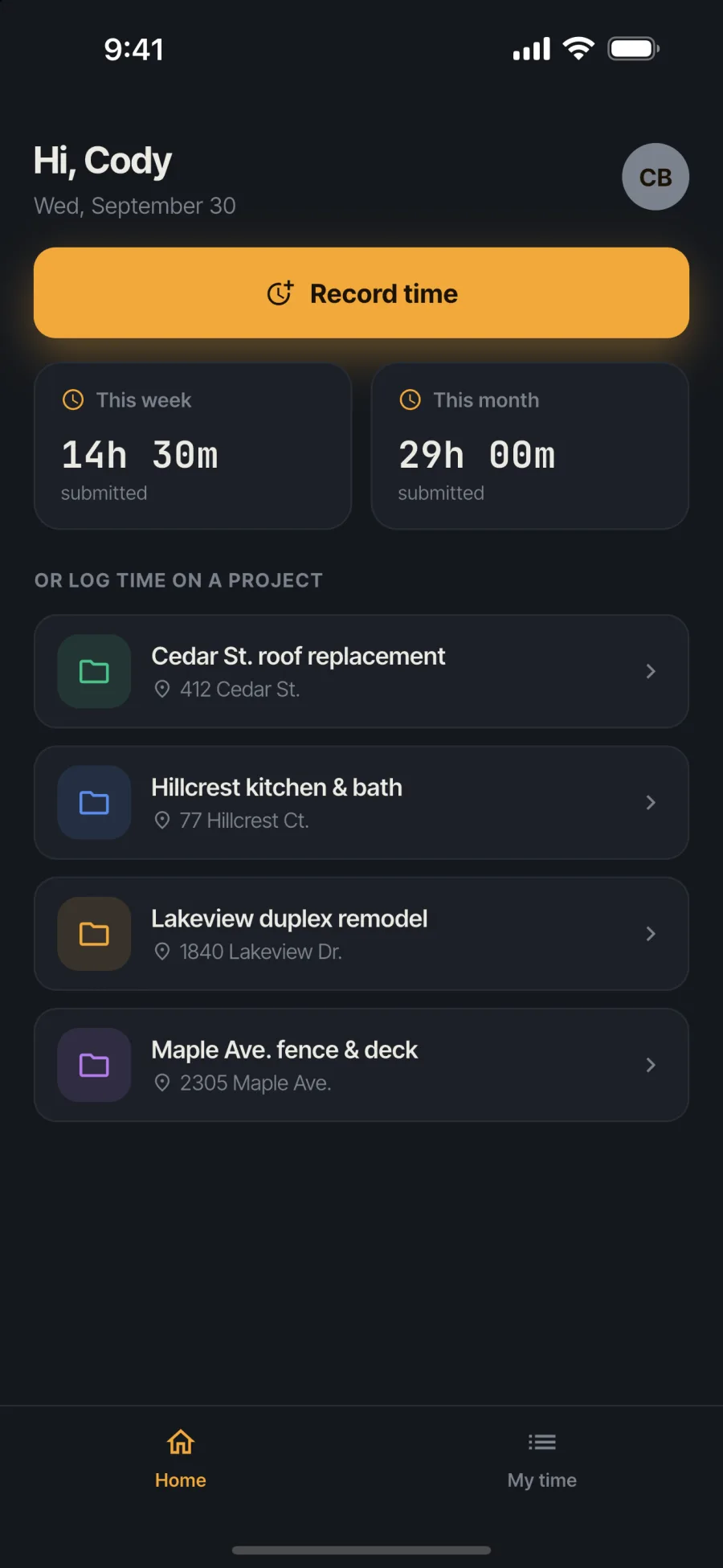
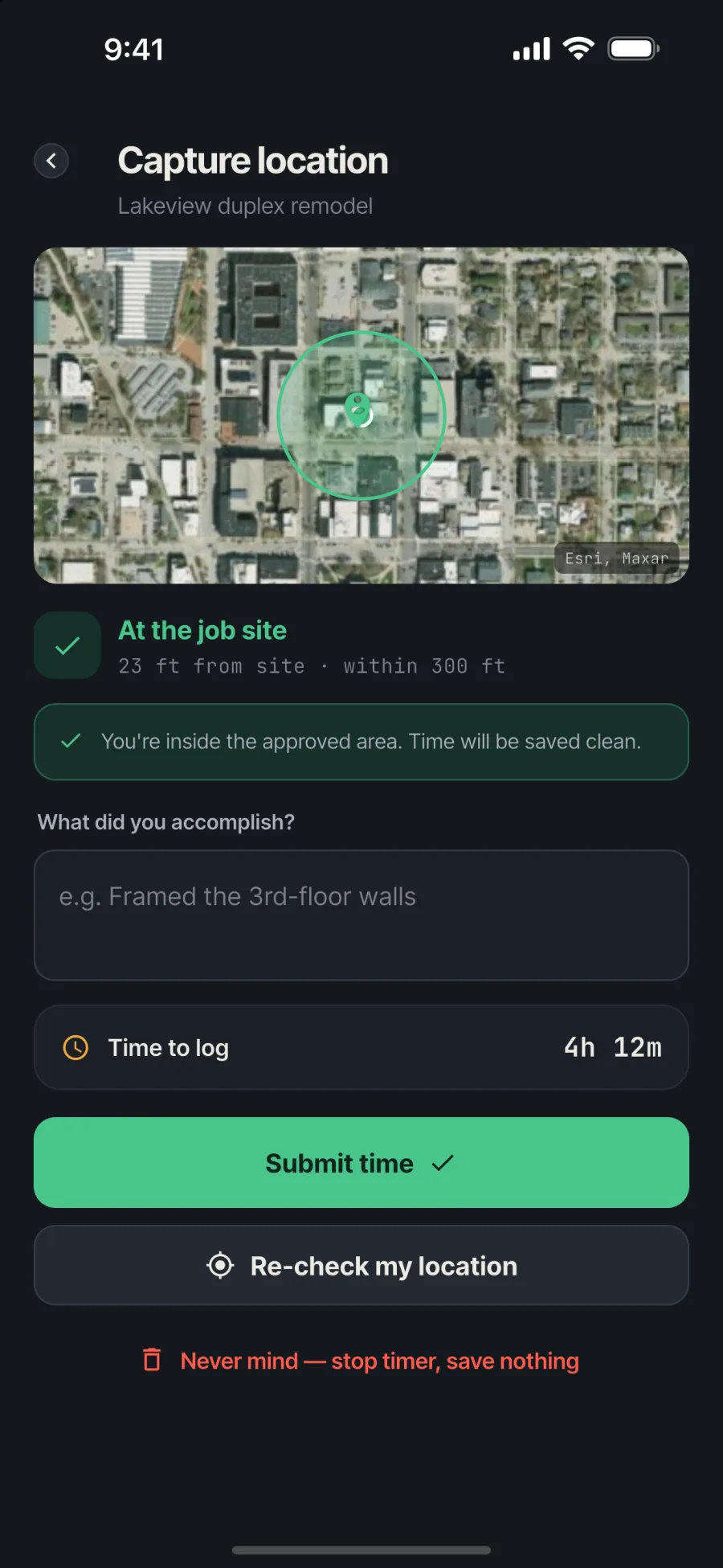
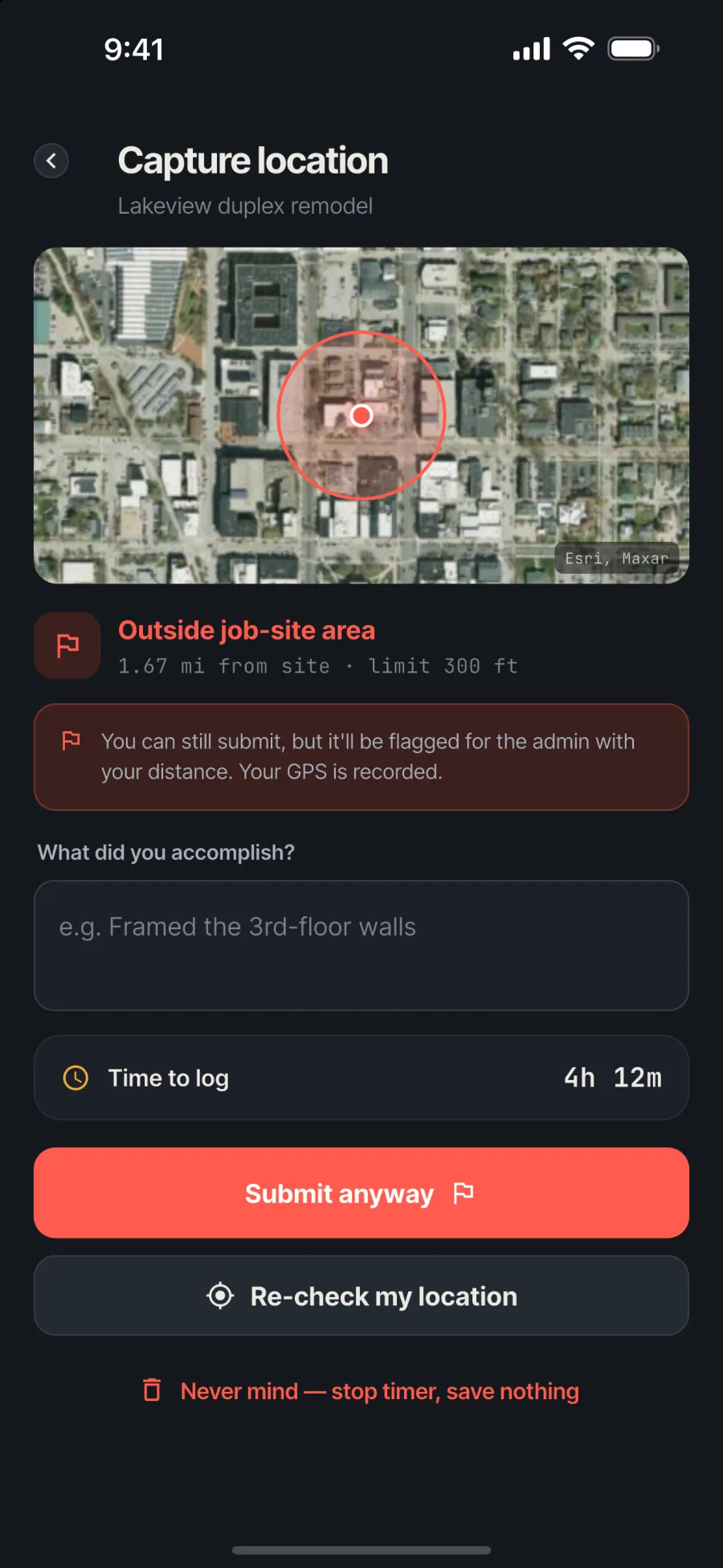
The crew’s home screen · On site: saved clean · Off site: saved and flagged
2
GPS checks on every timer: at start and at stop
100–1,000 ft
geofence set per job site
0
entries lost for being off site; they’re flagged, not blocked
≈$0
a month to run for a crew this size
At a glance
Who
A small business with a four-to-five person field crew
Industry
Field services
Platforms
iPhone and Android, on phones and tablets
Timeline
Core app built June 2026; release builds for both platforms that summer
Engagement
A custom app, published under the client’s own developer accounts
Built with
Flutter, Firebase (Auth, Firestore, Cloud Functions), GPS geofencing, satellite maps
Last updated September 30, 2026
Why the owner wanted a new timesheet
A small crew works across several job sites, and the owner can’t be at all of them. Without the right tool, hours are reported after the fact, and there’s no easy way to tell whether time was logged from the job or from somewhere else.
Off-the-shelf time trackers either ignore location or treat it as a hard gate: out of range, no clock-in. That’s a bad trade for a real crew. Sometimes a worker is on a supply run, the GPS is weak, or the job site pin is a little off. Blocking them loses real hours and creates friction.
The owner wanted something simpler and fairer: record where people are, let them log their time either way, and show the owner the entries that deserve a second look.
How we approached it
We designed the whole app around one rule: never lose a real hour, and never hide a questionable one.
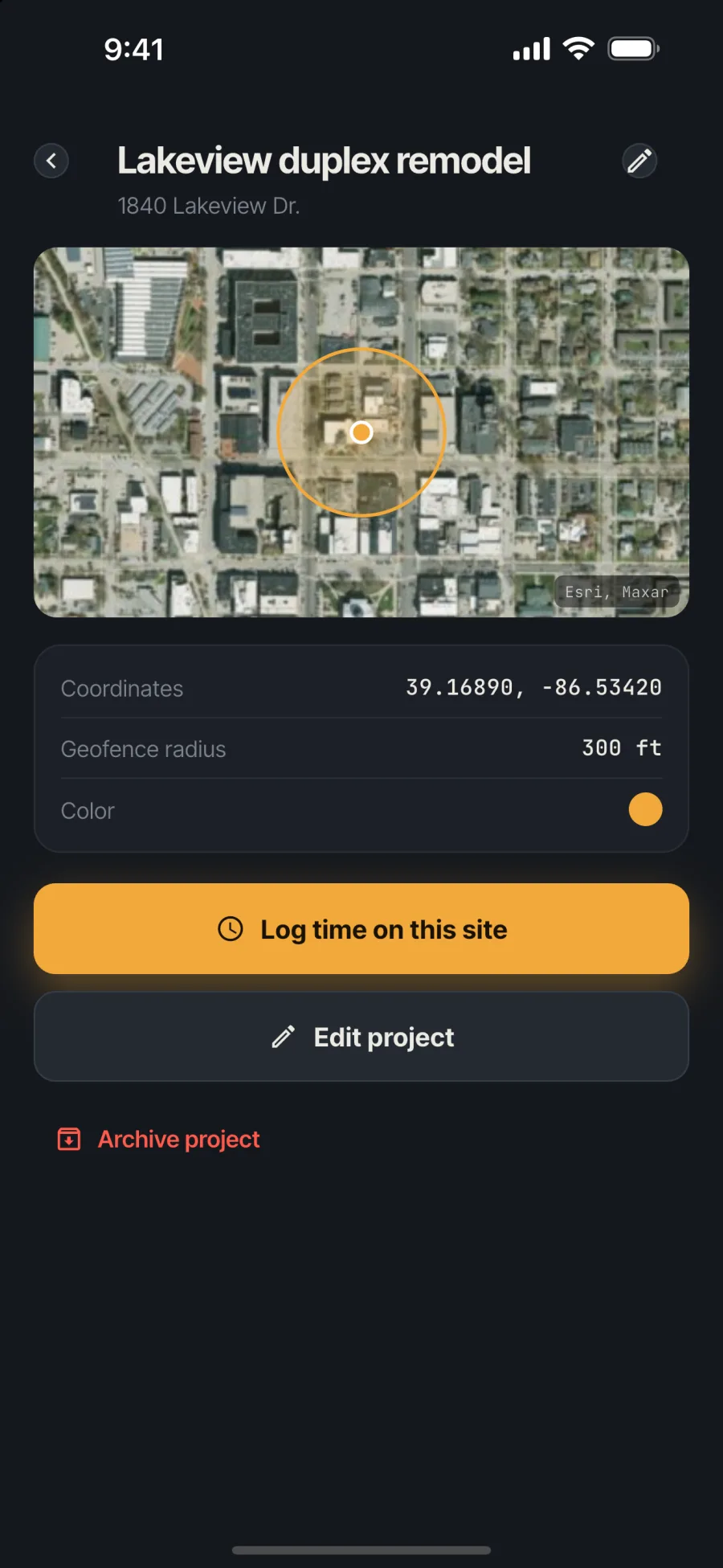
- Job sites with a fence. The owner creates each job site on a satellite map and sets how far the fence reaches, from 100 to 1,000 feet.
- Two GPS checks per timer. The phone records where the worker is when the timer starts and again when it stops. Manual entries get a check too.
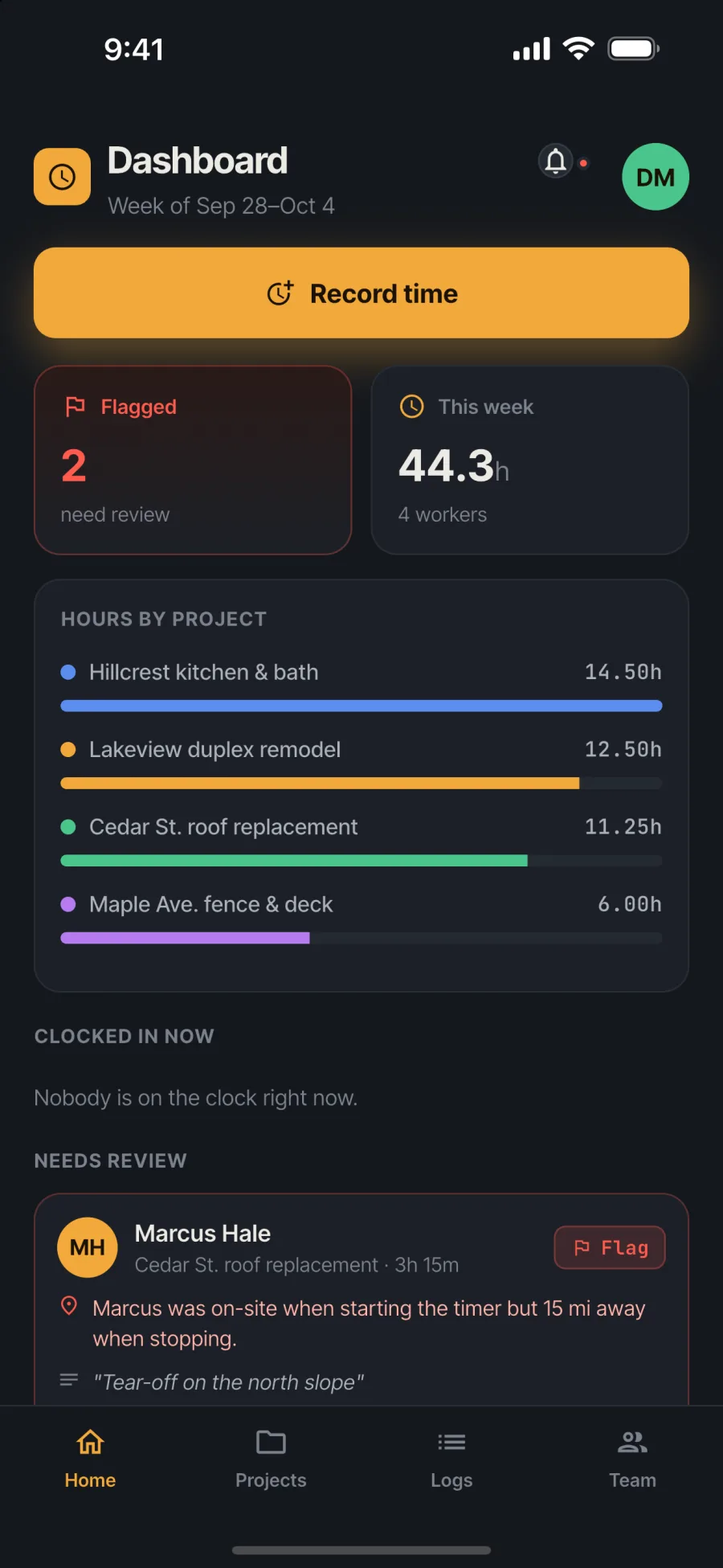
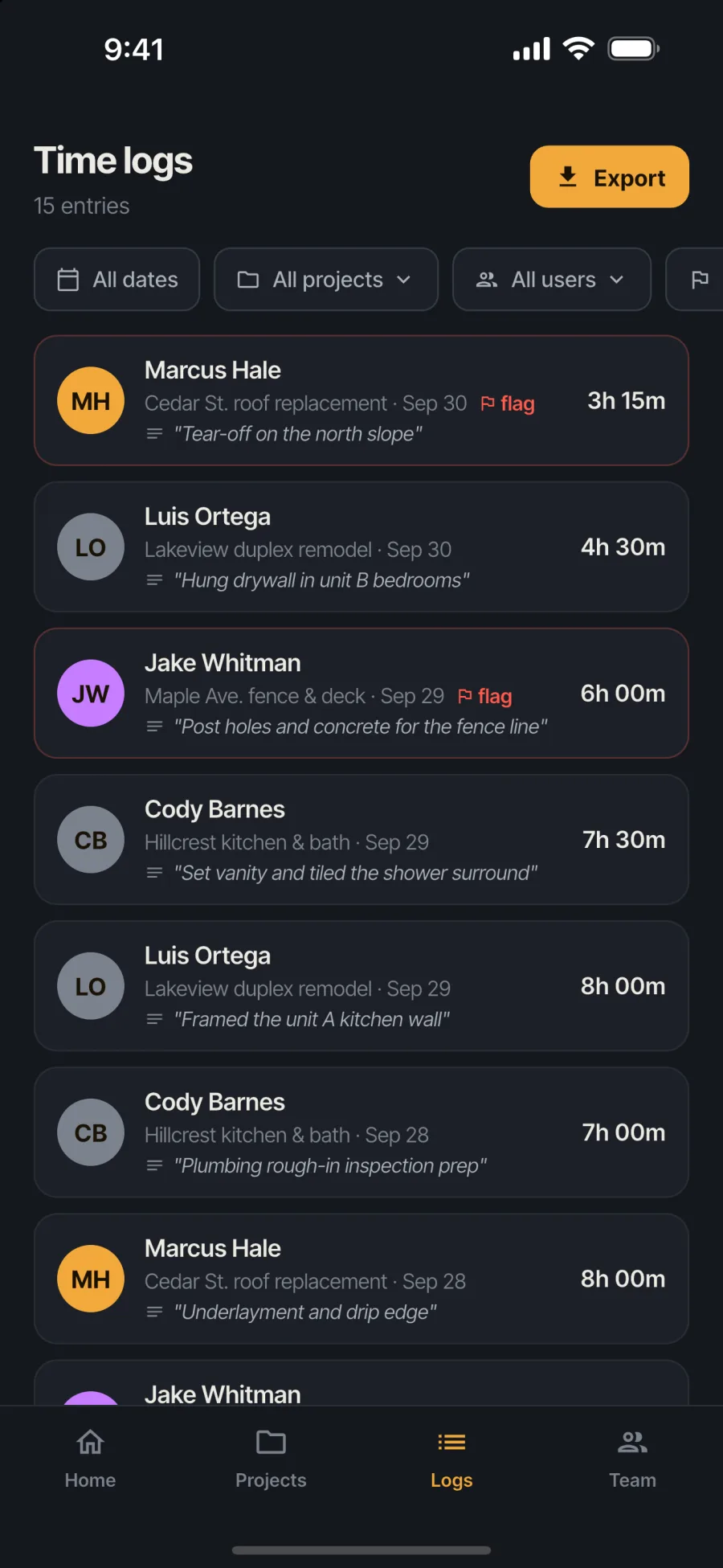
- Flag, don’t block. Entries outside the fence are saved with the real distance and a plain-English note, like “Marcus was on-site when starting the timer but 15 mi away when stopping.” The owner approves or rejects them.
Every entry also asks “What did you accomplish?”, so the hours come with a short record of the work.
The owner’s side
Real screens from the app, filled with a sample crew and job sites.
How the location check works
The app measures the straight-line distance from the worker’s phone to the job site’s pin and compares it with that site’s fence. Location is only captured at the moment of clocking in, clocking out or entering time, not tracked all day.
What else it does
- Invite-only accounts. The owner invites each person by email; there’s no public sign-up.
- Timer or manual entry, including backdated entries for a day someone forgot to clock in.
- A running timer survives the app closing, with a reminder notification to clock out.
- Owner tools: edit or delete entries, archive finished job sites, manage the team, and export filtered hours as CSV by email.
- Worker history, so each person can see their own hours for the week and month.
Built with
- Flutter: one codebase for iPhone and Android, phones and tablets.
- Firebase Authentication and Firestore: accounts, job sites and time entries, with security rules so workers only see their own time.
- Cloud Functions: invitations, account control and CSV exports.
- GPS and satellite maps: location capture on the phone and job-site maps for the owner.
What changed for the owner
The owner gets hours they can trust, with the context to judge the exceptions, and the crew gets an app that doesn’t punish them for a bad GPS signal.
- Exceptions come to the owner. Flagged entries sit at the top of the dashboard with the distance and the worker’s note.
- No lost hours. Being off site never stops anyone from logging time; it only asks for a second look.
- Payroll starts from a clean spreadsheet. Filtered exports arrive by email.
- It’s theirs. The app is published under the client’s own Apple and Google developer accounts, and runs for effectively nothing at this crew size.
Need an app built around how your crew actually works?
This project is a good example of a small, focused app solving one specific problem well. Off-the-shelf tools almost fit; the details that make it fair to the crew are what made it worth building.
Your Software Department™ is how we build tools like this: a flat monthly subscription with unlimited software requests, daily progress updates, and most tools shipped in 3–7 days. See how Your Software Department works →
Questions about GPS time tracking
When a worker clocks in, clocks out or enters time, the app records their phone’s location and measures the distance to the job site. If they’re outside the site’s geofence, the entry is saved but flagged for the owner with the real distance.
No. Location is captured only at the moment someone starts or stops a timer or enters time. There is no background tracking between those moments.
Their time is still saved. The entry is flagged with a note such as how far away they were, and the owner can approve or reject it.
Yes. It’s built with Flutter, so one codebase runs on iPhone and Android phones and tablets.
Yes. Peace Builders, an Indiana software studio, builds custom iPhone and Android apps for small businesses. Many clients work with us through Your Software Department™, a flat monthly subscription for ongoing software work.
Is your crew still texting in their hours?
Tell us how your team tracks time today. We’ll tell you honestly whether a custom app is worth it.